



Navigating tight budgets means stretching every dollar further. Student discounts online unlock exclusive deals across tech, fashion, food, travel, and more – no paper coupons or flyers required.
Many students miss out on savings because they don’t know where to look or how to verify their status quickly. This listicle solves that problem with clear, actionable guidance.
Whether you’re a freshman managing textbook costs, a high schooler eyeing local events, or an international student adjusting to a new currency, this guide helps you claim every discount available.
This article is for:
- University and college students seeking everyday savings
- High school students hunting for local and online discounts
- Distance education learners craving software deals
- International students adjusting budgets abroad
- Brands and local businesses aiming to promote offers
What you will learn:
- How to find and filter student discounts online by country or city
- Step-by-step redemption instructions for each platform
- Verification tips to access premium offers instantly
- Strategies to stack codes, seasonal sales, and ambassador deals
- Insider timing tips and community-sourced promo codes
Each entry includes a screenshot of the signup or checkout flow, direct links to deals, and concise notes on stacking offers for maximum value. You’ll see real examples from mainstream apps and brand storefronts.
We cover seven top sources: Student Wow Deals, UNiDAYS, Student Beans, ID.me Shop Student, Amazon Prime Student, Apple Education Store (US), and Adobe Creative Cloud for Students & Teachers. Follow along for region-specific tips and short guides that turn every discount into tangible savings.
Scroll down to jump straight into the platforms section and start saving today.
1. Student Wow Deals
Student Wow Deals is a free, community-driven platform designed to make student discounts online simple and accessible. Since launching in Queensland in 2014, it has grown to over 400,000 users who tap into 500+ ongoing and limited-time offers from top brands like Uber Eats, McDonald’s, Canva, Decathlon and ASUS. Whether you need food, fashion or travel savings, Student Wow Deals helps you find what you need with just a few clicks.
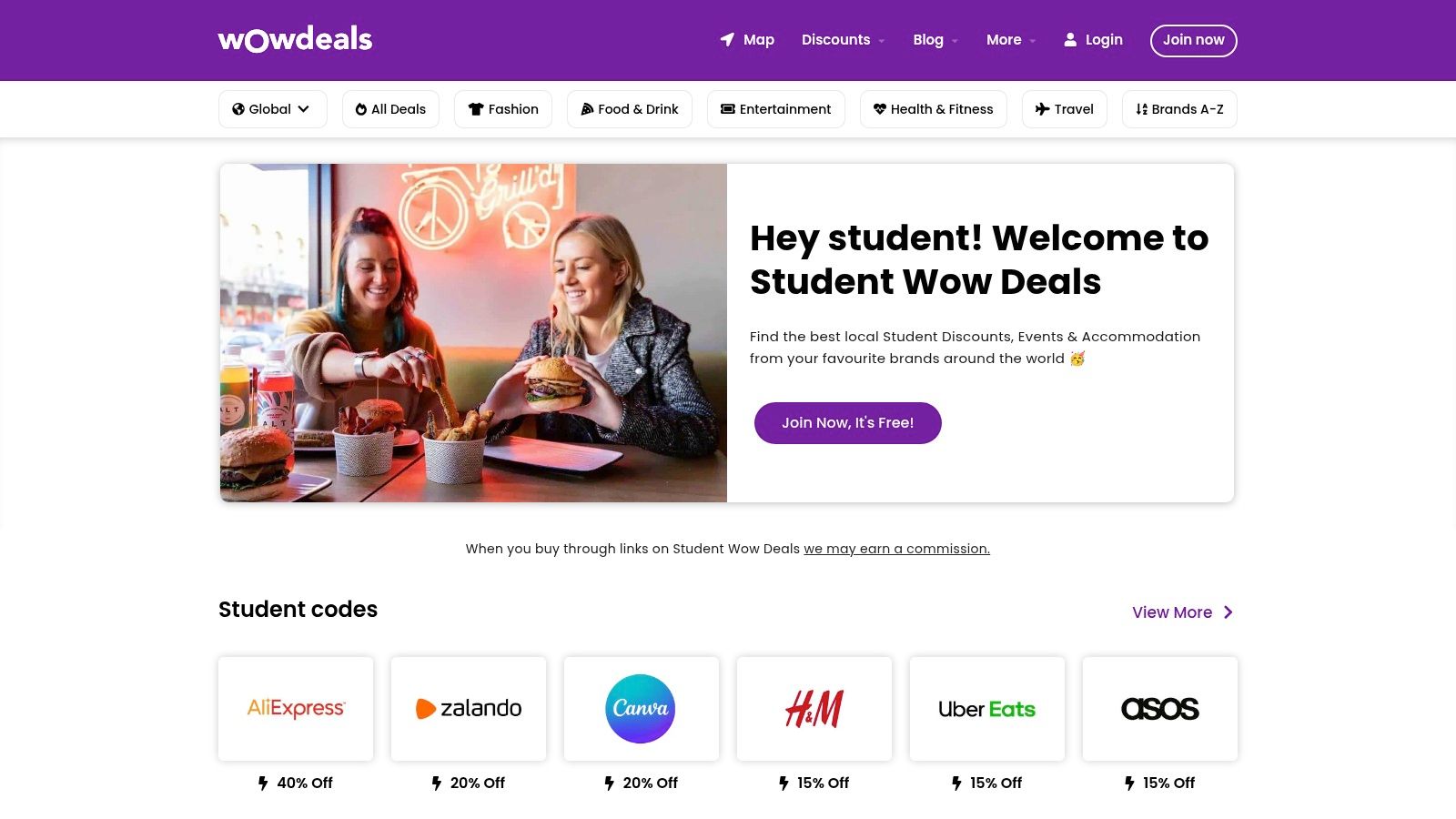
Key Features
- Extensive Offer Library
Browse 500+ verified student deals updated daily - Local Deals Map
Pin in-store discounts, events and accommodation near you - Category & Location Filters
Narrow results by Food & Drink, Fashion, Entertainment, Health & Fitness, Travel and by country or city - Community Ambassador Program
Earn rewards by submitting fresh local deals and events - Practical Guides
Access expert articles on budgeting, banking, job hunting and more - Mobile App & Social Channels
Save on the go and follow updates on Instagram, Facebook and Twitter
How to Use Student Wow Deals
- Create a free account at studentwowdeals.com
- Verify your student status via university email or ID
- Select a category or set your location filter
- Browse deals, click through affiliate links to redeem
- Save codes or screenshots for in-store offers
User Experience and Support
The Student Wow Deals interface is clean and mobile-responsive, ensuring quick navigation whether you’re on desktop or smartphone. The search bar sits prominently at the top, auto-suggesting popular brands and categories as you type.
Customer support is handled via email and social media channels. Response time averages 24 hours, and the community forum allows students to share redemption tips and troubleshoot deal issues together.
Why It Stands Out
- Community-Driven Updates
Ambassadors keep listings current, reflecting real-time availability - Regional Relevance
Country and city filters surface deals tailored to your location - Transparency
Clear affiliate link disclosures build trust in which offers earn commission - Holistic Student Resource
Combines discounts with financial and career guides for well-rounded support
Pricing and Access Requirements
| Feature | Cost | Access Requirement |
|---|---|---|
| Membership | Free | Valid student email or ID |
| In-Store Deal Redemption | Varies | Show code or screenshot at checkout |
| Affiliate Purchases | Retailer | Link click-through via Student Wow Deals |
Tips for Maximizing Savings
- Check the “Limited-Time Offers” section weekly for flash discounts
- Bookmark your city’s deals map to discover nearby pop-up events
- Combine Student Wow Deals offers with retailer loyalty programs
- Follow ambassadors on social media for insider coupon drops
Pros and Cons
Pros
- Free lifetime membership
- Wide range of national and local offers
- Active community keeps content fresh
Cons
- Offer depth varies by location
- No guaranteed stacking rules or price locks
- Dependent on partner retailer terms
Student Wow Deals earns its spot as our featured choice for student discounts online by blending a robust deal database with community engagement, localized mapping and practical lifestyle guides. For students worldwide looking to stretch their budgets, it’s an indispensable resource.
2. UNiDAYS
UNiDAYS is a free student-verification platform and marketplace with over 300 exclusive student discounts online. After a quick sign-up and annual re-verification, you can browse and redeem deals on tech, fashion, travel, food and more. Its intuitive mobile app and website make finding and using codes seamless for domestic and international students alike.
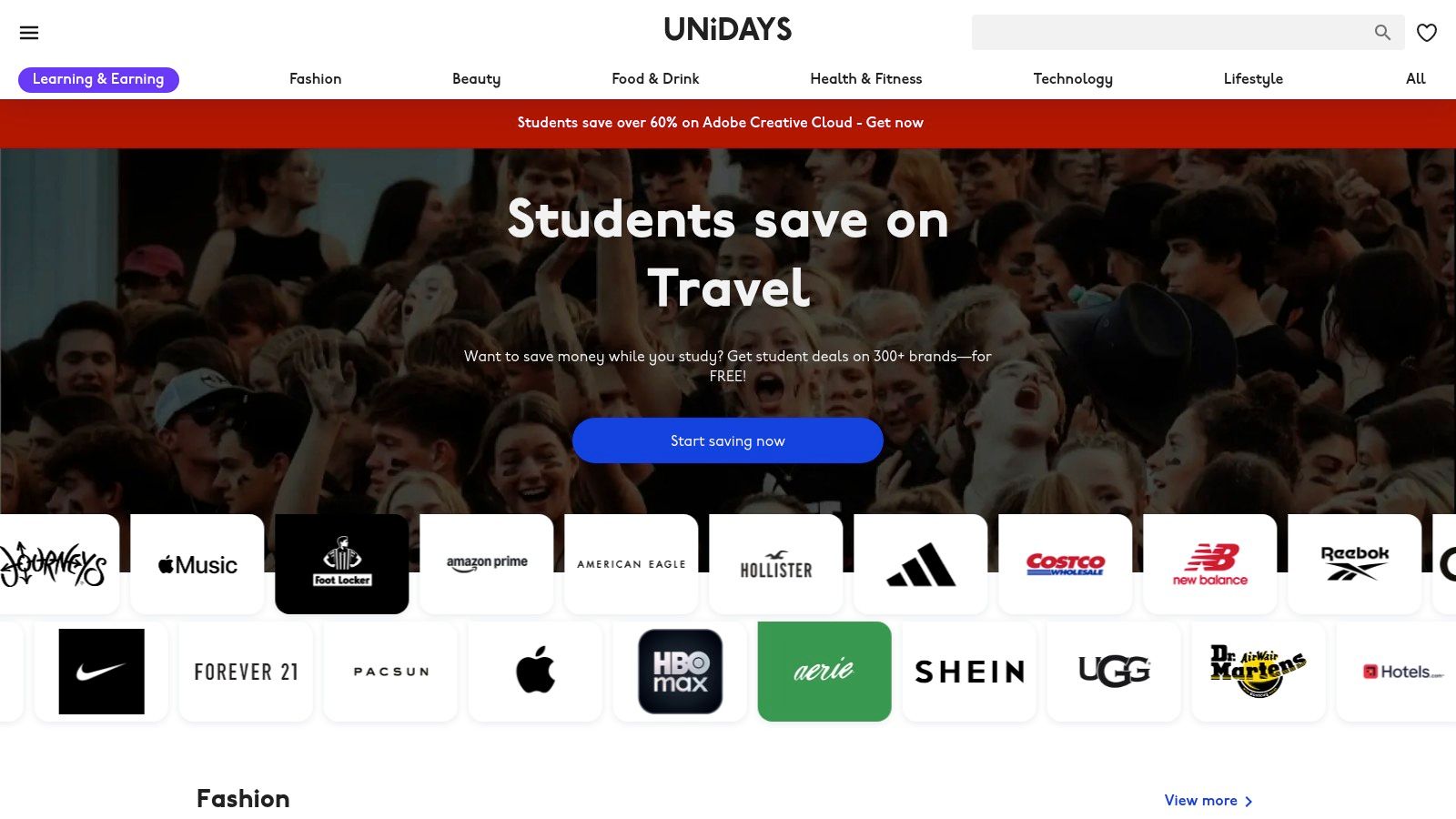
How to Get Started
- Visit the official site: https://www.myunidays.com/US/en-US
- Click Join and enter your university or high-school email
- Complete verification via email link or supported ID
- Browse offers on desktop or mobile app
- Redeem codes on brand sites or show your digital ID in store
Key Features
- Centralized deals: 300+ US brand offers, updated weekly
- Annual re-verification: Fast automated process, manual fallback available
- In-store redemption: Use the UNiDAYS app as a digital student ID
- Filter and search: Sort by category, brand, or new deals
- User interface: Clean design with saved favorites and push notifications
- Customer support: Live chat and email help if verification stalls
| Feature | Benefit |
|---|---|
| 300+ brand offers | One-stop hub for tech, fashion, travel, food |
| Mobile digital ID | Redeem in store without printing coupons |
| Weekly deal highlights | Never miss a new or debut discount |
| Category filters | Quickly find local or online student discounts |
Why UNiDAYS Stands Out
UNiDAYS brings more than basic coupon aggregation. Its exclusive brand partnerships often unlock deeper discounts than generic codes. The platform also supports international domains, so overseas students can tailor savings to their campus location. No other student-verification service matches its breadth and ease of use.
Pros and Cons
Pros
- Broad category coverage for everyday student needs
- Fast, mostly automated verification process
- Central hub to compare and save multiple codes
Cons
- Must re-verify every 12 months to maintain access
- Discount amounts can vary by brand and season
- Some niche retailers are not included
Tips for Maximizing Savings
- Set alerts for “new deals” so you catch debut offers
- Filter by local availability if you study abroad
- Combine UNiDAYS codes with site-wide sales or free shipping
- Bookmark your top brands in the app for one-tap access
- Plan around semester start and holidays when top brands launch deeper cuts
By leveraging UNiDAYS as your primary hub, you’ll streamline your search for student discounts online and unlock consistent savings across nearly every category.
3. Student Beans
Student Beans is a free student-verification platform offering over 1,500 student discounts online across fashion, tech, food, and more. After a quick email verification, students unlock a digital Student Beans iD and can browse deals on the website, mobile app, or via the Chrome extension. Its daily-updated Trending page highlights live offers so you’ll never miss out on limited-time cuts.
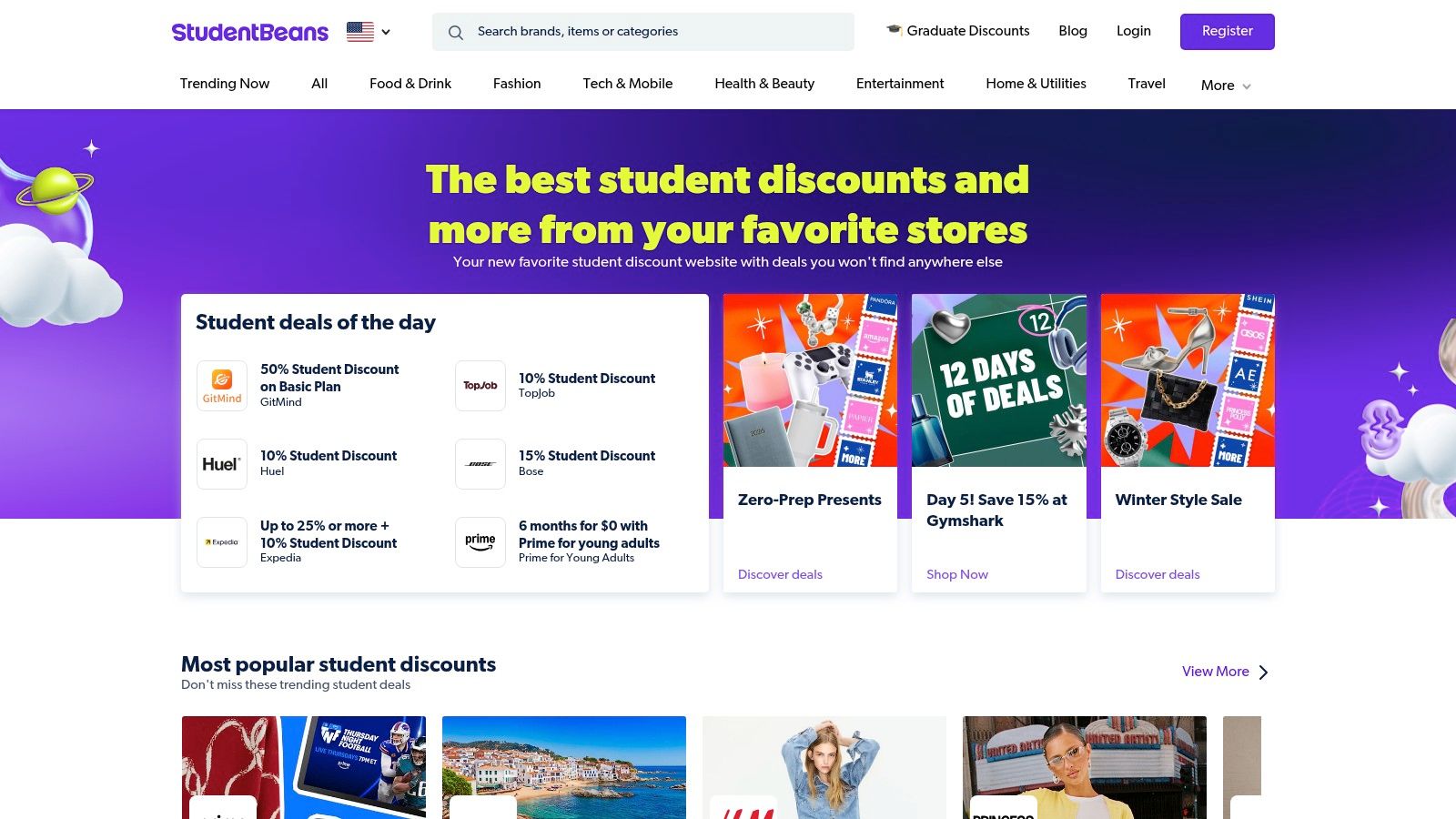
How to Get Started
- Visit the official site: https://www.studentbeans.com/us
- Click Get Verified and enter your university email
- Confirm verification via emailed link
- Download the Student Beans app or install the Chrome extension
- Browse the Trending page or search by category
- Redeem codes at checkout or show your digital iD in store
Key Features
- Daily Trending discounts: Live US deals with up to 60% off across categories
- Free digital Student Beans iD: Online and in-store redemption without printouts
- Browser extension: Auto alerts and one-click code application at checkout
- Mobile app: Exclusive app-only boosts and push notifications
- Large brand network: Hundreds of top retailers with student-only offers
| Feature | Benefit |
|---|---|
| Trending page | Always see the freshest student discounts online |
| Digital Student Beans iD | Redeem in-store and on brand sites with ease |
| Chrome extension | Surface codes automatically when shopping online |
| App-exclusive boosts | Unlock deeper cuts reserved for app users |
Why Student Beans Stands Out
Student Beans offers a unique Trending dashboard that surfaces the hottest student discounts online each day. In-checkout integrations on major brand sites eliminate manual code searches. The platform’s app-only boosts and category filters let you hunt deals by interest, from textbooks to streaming subscriptions. International students can switch country settings for local retailers.
Pros and Cons
Pros
- Extensive partnerships and exclusive app deals
- Fast, straightforward email verification
- Continuous deal refresh to catch time-sensitive offers
Cons
- Offers often rotate quickly and expire
- Best savings require installing the app or extension
- Some international markets have fewer deals
Tips for Maximizing Savings
- Enable push notifications for Trending updates
- Use category filters (tech, fashion, food) to find niche deals
- Bookmark brand pages for one-tap access to new offers
- Combine Student Beans codes with store-wide sales
- Run the browser extension on desktops when shopping for auto-applied discounts
4. ID.me Shop (Student)
ID.me Shop (Student) is a centralized student-verification service that powers exclusive student discounts online at thousands of participating US retailers. After a one-time verification, you unlock deals and sometimes cash-back directly through a Verify with ID.me button on partner sites. Its streamlined process and broad brand coverage make it a go-to hub for tech, fashion, travel and everyday essentials.
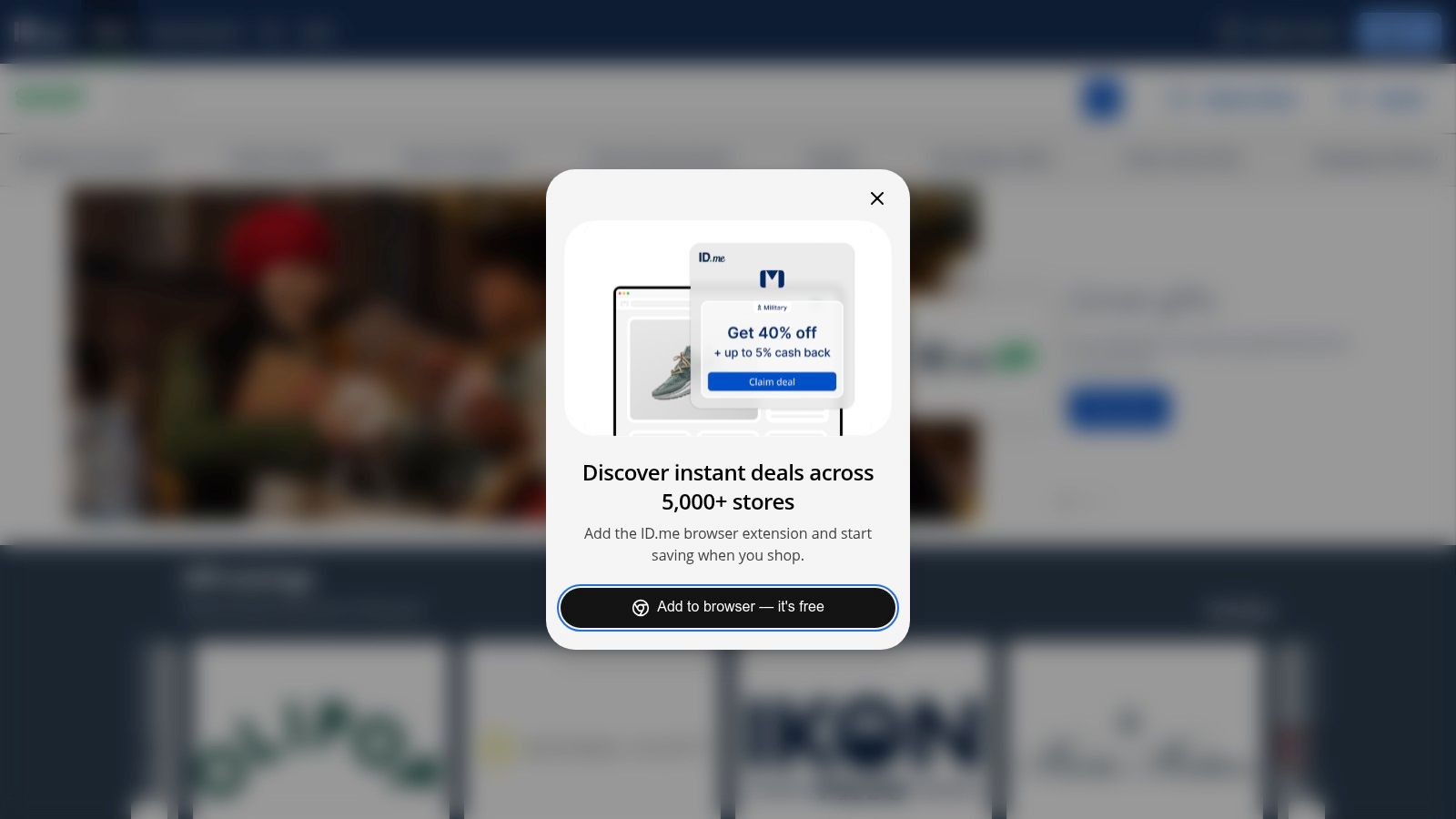
How to Get Started
- Visit the official site: https://shop.id.me/student
- Click Sign In / Sign Up and choose “Student” as your status
- Enter your school email or upload proof of enrollment if prompted
- Complete verification via email link, mobile ID check, or document review
- Shop at partner sites and click Verify with ID.me at checkout to redeem
Key Features
- Central hub of student offers from thousands of brands
- Some deals include cash-back on top of price reductions
- Single verification reused across all partner retailers
- Fast verification flow, often under one minute
- Secure document review option for robust authentication
| Feature | Benefit |
|---|---|
| One-time ID.me verification | Access multiple stores without repeating steps |
| Cash-back offers | Earn money back on purchases for extra savings |
| Checkout integration | Redeem deals directly at checkout with one click |
| Broad brand coverage | Tech, fashion, travel, software and more in one place |
Why ID.me Shop (Student) Stands Out
ID.me Shop (Student) shines by blending discount aggregation with secure identity verification. Unlike generic coupon sites, it integrates seamlessly at checkout on partner websites. You never need to hunt for codes manually—just verify once and watch the savings apply. It also layers cash-back offers on select deals, giving you two ways to save without extra effort.
Pros and Cons
Pros
- Broad coverage across major tech and retail brands
- Single verification flow simplifies future redemptions
- Cash-back offers add extra value
Cons
- Some merchants require document upload for verification
- Not every retailer partners with ID.me
- Discount depth can vary by brand and season
Tips for Maximizing Savings
- Verify early in the semester so you’re ready before major sales
- Bookmark top partner retailers to shop through ID.me links
- Check both discount and cash-back offers to stack savings
- Opt in for email alerts on new or limited-time student deals
- Compare ID.me deals against campus bookstore or local promos
By leveraging ID.me Shop (Student) as your primary student-discount hub, you streamline your access to student discounts online and secure consistent savings across the brands you love.
5. Amazon Prime Student
Amazon Prime Student is Amazon’s discounted Prime membership for eligible higher-education students. It starts with an extended 6-month free trial—double the regular duration—and then grants 50% off standard Prime pricing for up to four years (with annual re-verification). Members enjoy fast shipping on textbooks and supplies, unlimited streaming with Prime Video, ad-free reading via Prime Reading, exclusive student deals around Prime Day and back-to-school, plus Prime Gaming perks.
How to Get Started
- Visit the Prime Student signup page: https://www.amazon.com/prime/student
- Click Start your 6-month trial and sign in or create an Amazon account
- Enter your .edu email address and complete the verification steps
- Explore Prime benefits in your Amazon account dashboard
- Manage membership status and renewal reminders under Your Prime Student
Key Features
- Extended trial: 6 months free before any charge
- Half-price Prime: 50% off for up to four years
- Fast shipping: Free two-day shipping on millions of items
- Prime Video: Access to movies, series, and student-friendly content
- Prime Reading: Unlimited borrowable ebooks, comics and magazines
- Prime Gaming: Monthly in-game loot plus free PC games
- Member-only deals: Exclusive student promos on tech and campus gear
| Feature | Benefit |
|---|---|
| 6-month extended trial | More time to evaluate Prime without cost |
| 50% discounted rate | Significant savings on all Prime services |
| Two-day shipping | Quick delivery for textbooks and dorm essentials |
| Media and gaming bundle | Entertainment included at no extra charge |
Why Amazon Prime Student Stands Out
Amazon Prime Student uniquely integrates shipping, streaming and reading into a single student-friendly package. No other platform bundles such a broad range of services—fast delivery for study materials, unlimited entertainment for downtime and exclusive deals timed with campus seasons. The seamless Amazon interface and mobile app let you switch between shopping, watching and reading without extra logins.
Pros and Cons
Pros
- Major ongoing savings versus regular Prime
- Extended trial gives more trial value for students
- Wide selection of products, media and gaming perks
Cons
- Annual re-verification required to maintain discount
- Trial terms and benefits can shift without notice
- Must cancel or update payment to avoid full renewal
Tips for Maximizing Savings
- Stack Prime Student offers with site-wide sales like Prime Day and Cyber Monday
- Use Subscribe & Save on textbooks you reorder each semester
- Leverage Prime Reading for free access to textbooks and study guides
- Claim monthly freebies in Prime Gaming for extra value
- Set calendar alerts three weeks before trial ends to avoid unwanted charges
Learn more about Amazon Prime Student on studentwowdeals.com
6. Apple Education Store (US)
Apple’s official US education storefront offers special pricing on Macs, iPads and AppleCare+ for eligible college students and educators. Seasonal back-to-school promotions can include bundled accessories like AirPods or protective cases with your hardware purchase. Education verification happens online, sometimes via a trusted third-party service, ensuring you get genuine student discounts online from the source.
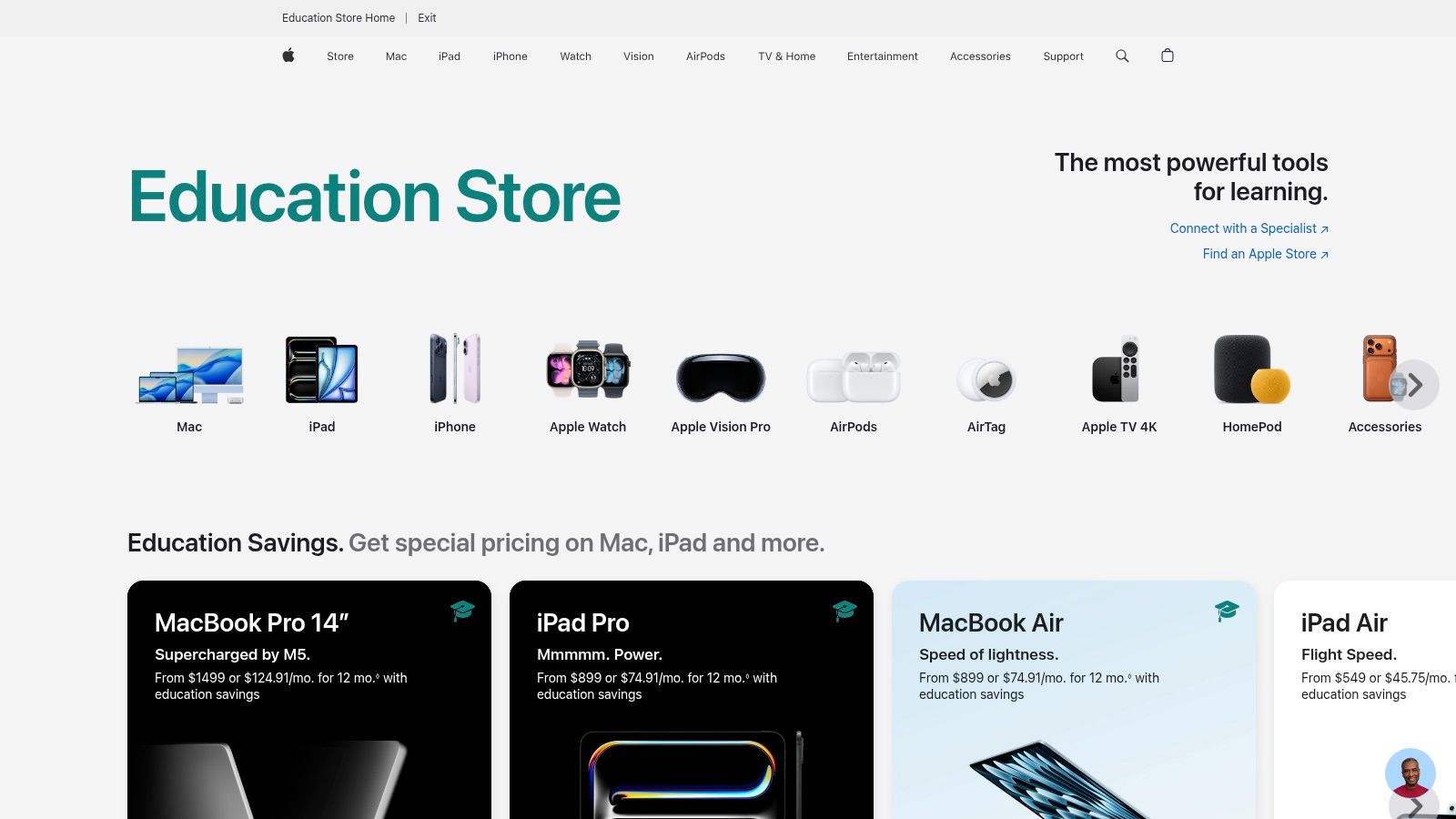
How to Get Started
- Visit the official store: https://www.apple.com/us-edu/store
- Choose your role (student or educator) and click Verify Eligibility
- Sign in with your Apple ID or create a new one
- Complete verification via school email or third-party ID check
- Browse Macs, iPads and accessories with education pricing applied
Learn more about Apple Education Store (US) student discount on domain.com
Key Features
- Education ‘From’ Prices: View baseline savings on MacBooks and iPads
- Seasonal Bundles: Receive free or discounted accessories during back-to-school events
- Custom Configuration: Build-to-order RAM, storage and GPU options for Macs
- Official Warranty & Support: Full AppleCare+ eligibility and direct customer service
- Online-Only Flow: Streamlined checkout with valid student or educator credentials
| Feature | Benefit |
|---|---|
| Seasonal back-to-school | Added value through bundled AirPods or cases |
| Build-your-own options | Tailor device specs for coursework or projects |
| Third-party verification | Fast, secure eligibility check |
| Direct AppleCare+ | Official warranty and premium support |
Why Apple Education Store (US) Stands Out
Apple’s EDU storefront goes beyond basic coupon aggregation by providing authentic student discounts online backed by official hardware support. The build-to-order configurator lets you pick exactly the right specs for graphic design, coding or research. Seasonal promotions often include accessories valued at $100 or more, boosting overall savings over retail pricing.
Pros and Cons
Pros
- Official Apple warranty, support and repair options
- Seasonal bundles add tangible value to purchases
- Full customization of RAM, storage and graphics
Cons
- Base discounts are modest compared with flash sales
- iPhone, Watch and many accessories have limited or no education price
- Best deals tied to specific promotional windows
Tips for Maximizing Savings
- Time purchases during July–September back-to-school events
- Check for education upgrades on AppleCare+ at checkout
- Combine store credit from trade-in with education pricing
- Compare build-to-order vs. open-box Apple Certified Refurbished deals
- Sign up for Apple’s email alerts to catch bundle announcements
7. Adobe Creative Cloud for Students & Teachers
Adobe Creative Cloud for Students & Teachers offers the full suite of professional apps—Photoshop, Illustrator, Premiere Pro and more—at a steeply discounted rate. After you verify your education status, you gain access to generative-AI features, Firefly credits and cloud storage for a seamless cross-app workflow.
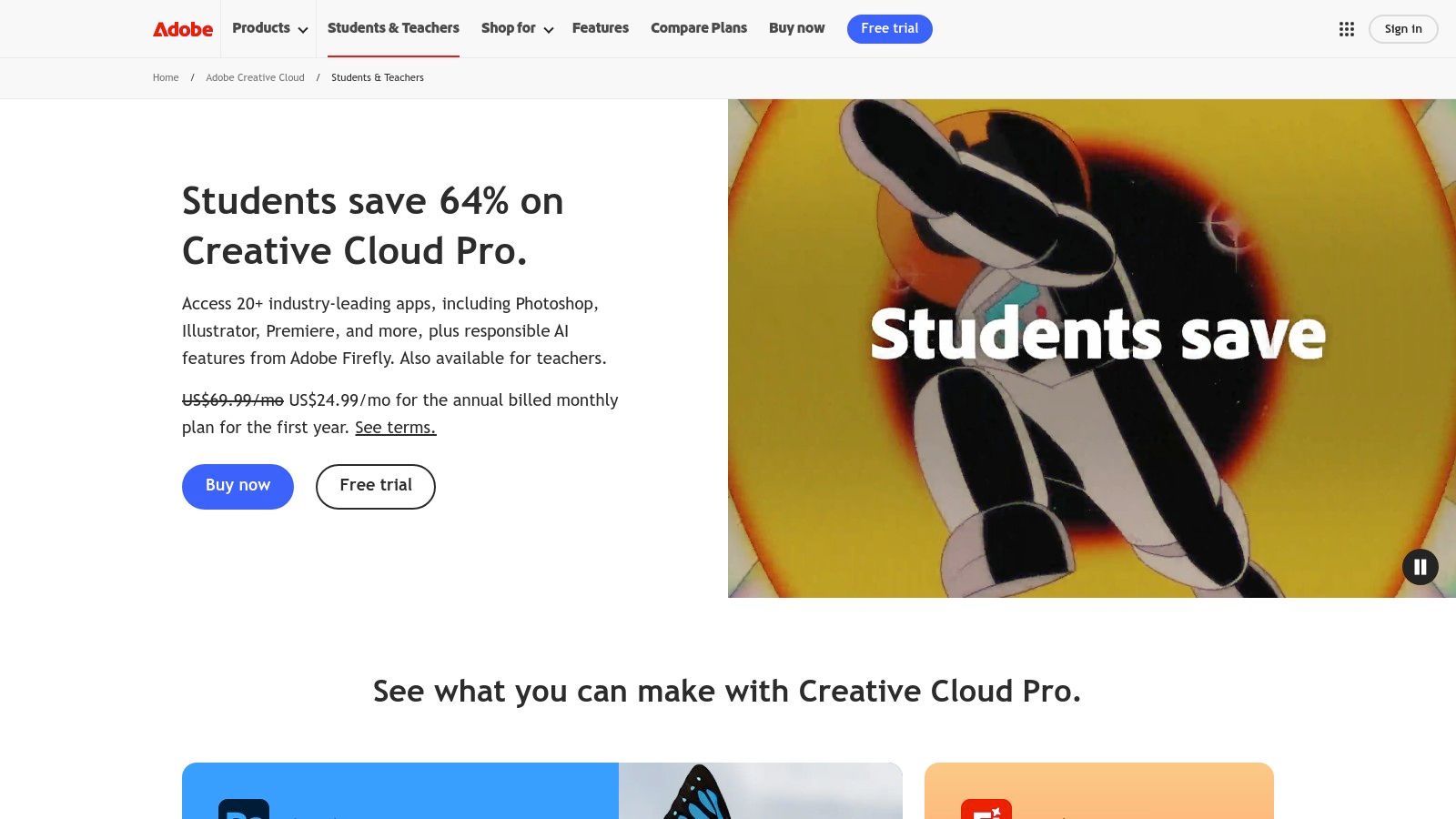
How to Get Started
- Visit the official site: https://www.adobe.com/creativecloud/buy/students.html
- Click Students & Teachers and choose the All-Apps plan
- Enter your valid school-issued email or upload an enrollment document
- Complete checkout to activate your first-year promotional rate
- Download the Creative Cloud desktop app and install your tools
Key Features
- All-apps access: Over 20 industry-standard apps in one plan
- Generative-AI tools: Use Firefly credits for text-to-image, Generative Fill and more
- Cloud storage: 100 GB included, with options to upgrade as your projects grow
- Cross-app workflows: Seamlessly switch between Photoshop, Premiere Pro and After Effects
- Student savings: Up to 65 percent off regular individual pricing
- Education verification: Fast email or document-upload process
| Feature | Benefit |
|---|---|
| Full Creative Suite | Professional tools for design, video and web development |
| Generative AI integration | Automate repetitive edits and spark creative ideas |
| Cloud storage | Access and sync files across devices |
| Student pricing discount | Major savings compared to standard individual plans |
Why Adobe Creative Cloud for Students & Teachers Stands Out
Adobe Creative Cloud is unmatched for coursework that demands industry-level output. From detailed vector art in Illustrator to frame-by-frame editing in Premiere Pro, every major creative discipline is covered under one subscription. The built-in generative-AI features unlock new possibilities for rapid prototyping and collaborative projects. For a related student discount on other design and engineering software, check out this offer:
Learn more about Adobe Creative Cloud for Students & Teachers on studentwowdeals.com
Pros and Cons
Pros
- Access to all Adobe apps in one bundle
- Generative-AI tools accelerate creative workflows
- Robust cloud storage and collaboration features
Cons
- Annual commitment with auto-renewal
- First-year promo rate may increase after 12 months
- High system requirements and steeper learning curve
Tips for Maximizing Savings
- Time your purchase around back-to-school or Black Friday promotions
- Renew only when your courses require it to avoid rate hikes
- Leverage Firefly credits early for concept art in design assignments
- Use cloud libraries to share assets easily with classmates
- Explore bundled offers at your campus bookstore for additional perks
Top 7 Student Discount Platforms Comparison
| Item | Implementation / Complexity 🔄 | Resource / Setup ⚡ | Expected outcomes (Impact & Quality) 📊⭐ | Ideal use cases 💡 | Key advantages ⭐ |
|---|---|---|---|---|---|
| Student Wow Deals | Low — free signup; community-curated listings | Low — web/app; ambassador contributions | Moderate savings locally; large offer variety where available (⭐⭐⭐) | Students seeking free, localised discounts and practical guides | Free membership, local deals map, active community |
| UNiDAYS | Low — one-time verification with annual recheck | Low — mobile app; brand integrations | Broad brand access and convenient in‑store/app redemption (⭐⭐⭐) | Students wanting a central hub for brand codes and mobile ID | Wide category coverage, quick verification, mobile ID |
| Student Beans | Low — quick verification; best with app/extension | Low–Medium — app/extension recommended for full value | Extensive, frequently refreshed deals and app‑only boosts (⭐⭐⭐⭐) | Online shoppers who want automatic alerts and exclusive boosts | Large brand network, browser integration, trending lists |
| ID.me Shop (Student) | Medium — one-time verification; may require documents | Low for users; widely used by retailers at checkout | Broad coverage across merchants; some cash‑back options (⭐⭐⭐) | Students who prefer single verification reused across stores | Reusable verification, checkout integration, cash‑back on select offers |
| Amazon Prime Student | Low — verification required; periodic re‑verification | Medium — discounted subscription cost | High value via shipping, streaming and member deals (⭐⭐⭐⭐) | Students buying textbooks/supplies and using streaming services | Long trial, ~50% off Prime, full Prime benefits |
| Apple Education Store (US) | Low–Medium — education verification at purchase | High — hardware cost despite EDU discount | Reliable hardware with official support; modest EDU savings (⭐⭐⭐) | Students needing Macs/iPads with warranty and configuration | Official warranty/support, seasonal bundles, build‑to‑order options |
| Adobe Creative Cloud for Students & Teachers | Medium — eligibility checks; license management | High — subscription cost and higher system requirements | High impact for coursework and portfolio work (⭐⭐⭐⭐) | Design, film and media students who need professional tools | Full app suite at steep student price, cloud workflows |
Putting Student Discounts Online to Work
Key Takeaways
- Seven platforms cover everything from daily essentials to premium software.
- Verification steps are quick once you’ve uploaded your student ID and proof.
- Location filters and browser extensions help you zero in on local and global deals.
- Ambassador programs and community contributions unlock hidden promos.
“Bookmark your top student discounts online once, redeem forever.”
Actionable Next Steps
- Verify Your Status
- Complete one identity check per platform to skip future hurdles.
- Set Up Filters
- Use location and category filters on UNiDAYS, Student Beans, and others to surface relevant offers.
- Bookmark and Stack
- Save key pages in a dedicated browser folder.
- Combine seasonal sales, promo codes, and app extensions for extra savings.
Choosing the Right Tool
- Student Wow Deals for crowdsourced, peer-vetted offers and ambassador perks
- UNiDAYS for fast fashion, tech, and lifestyle brand deals
- Student Beans for international student discounts on entertainment and travel
- ID.me Shop (Student) to consolidate military, first responder, and student verifications
- Amazon Prime Student for free trials, 50% off Prime membership, and exclusive Lightning Deals
- Apple Education Store (US) for steep hardware discounts and bundled software savings
- Adobe Creative Cloud for steep software discounts and training perks
Important Factors to Consider
- Verification Method: Some sites accept .edu emails, others require manual ID uploads
- Geographic Availability: Check country-specific domains or toggle local settings
- Stacking Potential: Confirm if codes can stack with cart-level discounts
- Community Alerts: Join Reddit threads, Facebook groups, or Discord channels tied to each platform
Final Thoughts
Putting your headstart on student discounts online into practice is all about systematizing your routine. By verifying once, filtering ruthlessly, and leveraging community networks, you’ll consistently squeeze out the best savings. As you juggle coursework, part-time jobs, and social life, let these tools automate your deal hunting so you can focus on what matters.
Stay proactive, stay curious, and remember that every latte, subscription, and gadget can cost you less when you know where to look. Your wallet—and your future self—will thank you for making student discounts online a no-brainer habit.
Ready to stay ahead of every new student discount online? Student Wow Deals arms you with crowdsourced offers, ambassador perks, and real-time alerts so you never miss a deal again. Explore the latest savings at Student Wow Deals today!