



For most students, the best Lenovo laptop is all about finding that perfect sweet spot between performance, portability, and price. The Lenovo IdeaPad Slim 3 nails this balance for general studies, while the heavy-hitting Lenovo ThinkPad E14 is a beast for anyone in a demanding major.
Finding Your Ideal Lenovo Student Laptop
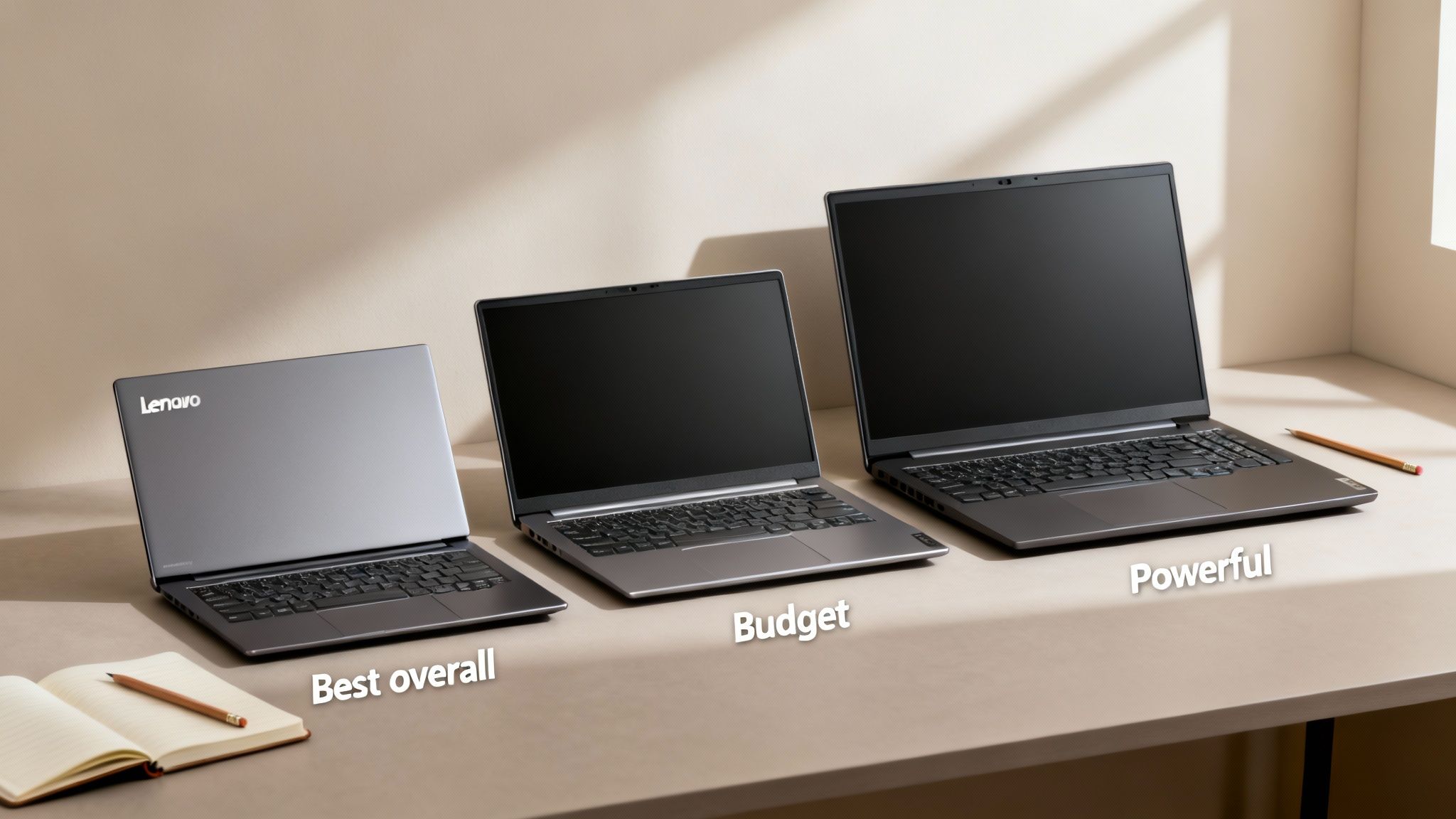
Picking a laptop for uni can feel like a huge decision, but you can't go wrong starting with Lenovo. I’ve seen countless students rely on them, and for good reason. Their laptops just work for the academic grind, featuring comfy keyboards for those marathon essay sessions and solid battery life that’ll get you through a day of classes without a charger.
And it’s not just a feeling—the numbers back it up. Lenovo has become a go-to for young people, with an impressive 29% preference among those under 30. That kind of popularity doesn't happen by accident; it's earned by making machines that can actually handle student life.
To make your search easier, we’ve laid out our top picks. Whether you’re a liberal arts major who just needs a solid note-taker or an engineering student who needs to run complex software, there’s a Lenovo built for you. Best of all, you can often find exclusive student offers on top brands to help you save some cash.
Top Lenovo Laptops for Students At a Glance
To give you a quick lay of the land, here’s a snapshot of our top picks. This table breaks down who each laptop is for and what makes it stand out, so you can jump straight to the one that fits you best.
| Model | Best For | Key Feature |
|---|---|---|
| Lenovo ThinkPad E14 | All-Around Performance | Legendary Keyboard & Durability |
| Lenovo IdeaPad Slim 3 | Budget-Conscious Students | Excellent Value for Everyday Tasks |
| Lenovo Yoga 7i 2-in-1 | Creative & Flexible Use | 360-Degree Hinge & Touchscreen |
Think of this as your starting point. Now, let’s dive into the details to help you find the perfect partner for your studies.
What Specs Actually Matter in a Student Laptop?
Picking a new laptop can feel like you're drowning in a sea of acronyms and numbers. CPU, RAM, SSD… what does it all mean? Honestly, it's about finding the right engine for what you need to do. Getting the specs right is the difference between a machine that zips through your assignments and one that chugs along while you're staring down a deadline.
A good student laptop needs enough juice to handle today's academic reality. You’ll want something that works smoothly with the best AI study tool options and doesn't buckle under the pressure of a dozen research tabs. Let's break down what you actually need to look for.
The Big Three: CPU, RAM, and Storage
Think of the CPU (Central Processing Unit) as the laptop's brain. For most students, the main choice is between Intel (like a Core i5 or i7) and AMD (Ryzen 5 or 7). Both are solid performers for everyday student life. I've found that AMD Ryzen chips often give you a bit more bang for your buck on multi-core tasks, which is perfect when you’re juggling Zoom calls, Word docs, and Spotify all at once.
Next up is RAM (Random Access Memory). This is your laptop's short-term workspace. While you might see some models with 8GB, I’d strongly recommend making 16GB of RAM your new minimum. It’s the sweet spot that lets you keep all your research tabs open, stream lectures, and run software without your laptop grinding to a halt.
Finally, storage. Just do yourself a favor and get a Solid-State Drive (SSD). They don't have moving parts like old-school hard drives, which means your laptop boots up in seconds and apps load almost instantly. A 256GB drive is okay if you're on a tight budget, but 512GB is the smart move. It gives you plenty of breathing room for all your software, project files, and lecture recordings.
My go-to recommendation for most students? A laptop with an Intel Core i5 or AMD Ryzen 5 CPU, 16GB of RAM, and a 512GB SSD. That combo is a fantastic baseline that will keep you running smoothly for your entire degree.
Don't Forget About The Practical Stuff
Power is great, but day-to-day usability is what really counts. Battery life is a huge one. Look for laptops that claim 8-10 hours or more of real-world use. Trust me, you don't want to be the person hunting for a power outlet in a packed lecture hall.
Weight is another big deal when you’re lugging it across campus. Anything under 4 lbs (about 1.8 kg) is the sweet spot for portability. I also think a 14-inch screen hits the perfect balance between having enough space to work comfortably and being small enough to slip into any backpack.
Lastly, make sure the laptop you buy isn't already outdated. A few things to look for:
- Wi-Fi 6: This makes a massive difference on crowded campus Wi-Fi networks, giving you a faster and more stable connection.
- USB-C with Thunderbolt: It's the all-in-one port. You can use it for super-fast file transfers, connecting to an external monitor, and even charging your laptop.
Getting a machine with these features means you’re investing in a laptop that will actually last you through graduation and beyond.
In-Depth Reviews of the 7 Best Lenovo Laptops
Alright, let's get into the nitty-gritty. This is where you find the laptop that’s actually right for you. We’ve gone through seven of the best Lenovo options on Amazon, looking past the fancy marketing to see how they'll hold up during the daily student grind—from late-night cram sessions to creative projects.
To make sense of the specs we'll be talking about, here’s a quick visual breakdown of the big three: CPU, RAM, and storage.
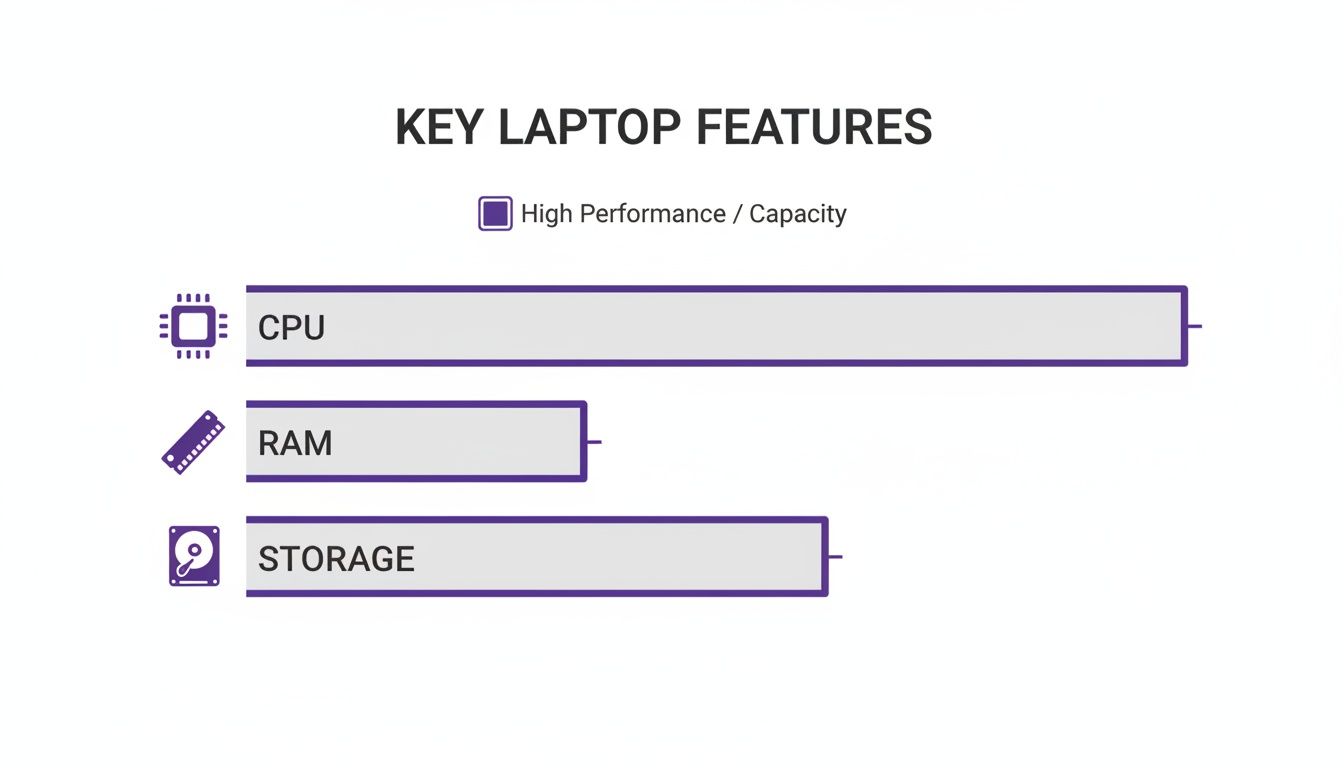
Think of it this way: the CPU is the brain, RAM is your active workspace for multitasking, and storage is how fast you can access your files and apps.
1. Lenovo ThinkPad E14 Gen 5: The Indestructible All-Rounder
The ThinkPad name is legendary for a reason, and the E14 Gen 5 brings that corporate-level toughness to a price point that won't make you cry. This thing is built like a tank, so it'll easily survive the bumps and drops of campus life. It’s not just a laptop; it's a long-term investment. But the real star of the show? The keyboard. The keys have this perfect, satisfying feedback that makes typing for hours feel… good? For anyone in a writing-heavy major, this is a massive win.
Pros:
- Best-in-Class Keyboard: Seriously, it’s a dream for long essay-writing sessions. So comfortable and accurate.
- Exceptional Durability: It's MIL-SPEC tested, meaning it can handle drops, spills, and extreme temps. It’s built to last your entire degree.
- Strong Performance: Comes with modern Intel or AMD chips that chew through multitasking and demanding software without a problem.
Cons:
- Utilitarian Design: It has that classic, no-nonsense business vibe, which might not be for everyone.
- Average Screen: The base model’s screen gets the job done but isn’t as bright or colorful as others.
2. Lenovo IdeaPad Slim 3: The Smart Budget Champion
If you need a reliable machine for daily uni work but don't want to drain your bank account, the IdeaPad Slim 3 is your answer. It feels surprisingly premium for what you pay and is so sleek and light you’ll barely notice it in your backpack. Look, this isn't a powerhouse for heavy engineering software. But for what most students do—browsing a dozen tabs for research, writing essays, and streaming lectures—it's perfectly snappy and responsive.
Our Verdict: The IdeaPad Slim 3 is the go-to choice for budget-conscious students in fields like humanities, social sciences, or education. It delivers all the performance you need for research and writing in a super portable and affordable package.
It's pretty cool how Lenovo manages to make a laptop for basically every type of person. Their whole strategy is built on this. The ThinkPads are for pros, IdeaPads for everyday users, Legion for gamers, and Yoga for creatives. You can actually learn more about Lenovo's market approach to see how they nail this.
Pros:
- Excellent Value: You get solid performance for everyday school tasks at a killer price.
- Slim and Lightweight: Super easy to carry between classes without weighing you down.
- Modern Features: Often includes nice touches like a webcam privacy shutter and a fingerprint reader, which you usually find on pricier models.
Cons:
- Not for Intense Tasks: It’s not built for demanding jobs like video editing or 3D modeling.
- Plastic Build: While it looks good, the plastic body doesn't feel as tough as the metal ones on more expensive laptops.
3. Lenovo Yoga 7i 2-in-1: The Creative Multitasker
The Yoga 7i is the ultimate chameleon. One minute it’s a laptop for typing up an assignment, the next it’s a tablet for taking handwritten notes with a stylus. This 2-in-1 design is a game-changer for students who want the best of both worlds. Its high-res touchscreen is bright and super responsive, making it perfect for digital art, marking up PDFs, or just kicking back with a movie after class. The solid all-metal build also gives it a premium vibe that feels way more expensive than it actually is.
Pros:
- Versatile 2-in-1 Design: The 360-degree hinge lets you use it in laptop, tent, stand, or tablet mode.
- Vibrant Touchscreen Display: The colors pop, and the clarity is fantastic for creative work and streaming.
- Premium Build: The aluminum body feels sturdy and looks incredibly sharp.
Cons:
- Slightly Heavier: It’s a bit heavier than a standard laptop because of the sturdy hinge mechanism.
- Stylus Often Sold Separately: You’ll probably have to buy a stylus to get the full note-taking or drawing experience.
4. Lenovo ThinkBook 13s Gen 4: The Stylish Professional
The ThinkBook 13s is the perfect middle ground between a tough-as-nails ThinkPad and a stylish IdeaPad. It's an amazing pick for business, marketing, or law students who need a machine that looks sharp in class and won't look out of place at an internship. Its tiny 13-inch size and light frame make it incredibly easy to carry around. But don't let its size fool you—it packs powerful processors and a gorgeous high-res screen that's great for getting work done.
Pros:
- Sleek and Professional Look: The two-tone aluminum finish gives it a modern, premium feel.
- Highly Portable: One of the lightest and most compact laptops you can get, perfect for a busy campus life.
- High-Quality Display: The screen is bright, color-accurate, and has a taller 16:10 aspect ratio, which lets you see more of your work at once.
Cons:
- Limited Ports: To get that slim design, it does cut back on ports, so you might need to carry a dongle.
- Compact Keyboard: The keyboard on a 13-inch laptop can feel a little tight if you have bigger hands.
5. Lenovo LOQ 15: The Accessible Gaming and STEM Machine
This one's for the students in engineering, computer science, architecture—or anyone who wants to game after hitting the books. The Lenovo LOQ 15 gives you the raw power of a dedicated graphics card without the crazy price tag of a high-end gaming rig. It can handle CAD software, heavy coding, and the latest games, no problem. It’s got a great cooling system to keep things running smoothly during intense sessions and a high-refresh-rate screen for buttery-smooth visuals.
Crucial Insight: A laptop with a dedicated graphics card (dGPU) like the LOQ 15 isn't just for gaming. It massively speeds up any app that’s graphically demanding, from video rendering to running complex scientific simulations.
Pros:
- Dedicated Graphics Power: The NVIDIA GeForce RTX GPU crushes demanding software and modern games.
- Strong CPU Performance: Comes with beefy Intel or AMD processors that are great for both single- and multi-threaded tasks.
- Effective Cooling: A solid thermal setup stops it from overheating, so you get consistent performance even under heavy loads.
Cons:
- Bulky and Heavy: It’s much less portable than an ultrabook.
- Poor Battery Life: You’ll definitely need to bring your charger with you.
6. Lenovo Flex 5 Chromebook: The Simple and Secure Option
Honestly, not every student needs a full Windows laptop. The Lenovo Flex 5 Chromebook is all about a simple, secure, and super fast experience built on Google’s ChromeOS. It boots up in seconds, you don't have to worry about viruses, and it’s perfect for anyone who does most of their work in the cloud. This 2-in-1 is awesome for writing papers in Google Docs, doing research, and collaborating on projects. And with full support for Android apps from the Google Play Store, it’s way more than just a web browser.
Pros:
- Fast and Secure OS: ChromeOS is a breeze to use, boots instantly, and has virus protection built right in.
- Excellent Battery Life: It's so efficient it can easily last a full day on a single charge.
- Affordable and Versatile: You get 2-in-1 flexibility with a great keyboard and touchscreen at a fantastic price.
Cons:
- Dependent on Internet: It relies heavily on an internet connection, though Google apps have some offline capabilities.
- Software Limitations: It can't run traditional Windows or macOS software, which is a non-starter for majors that require specific programs.
7. Lenovo ThinkPad X1 Carbon Gen 11: The Ultimate Ultrabook
For the student who wants the absolute best and has the budget for it, the ThinkPad X1 Carbon is the top of the mountain. It’s unbelievably thin and light, but because it’s made from carbon fiber, it’s also incredibly durable. This is the laptop for a PhD candidate, an MBA student, or anyone who just wants a professional tool with zero compromises. It has a jaw-dropping display, arguably one of the best keyboards ever put on a laptop, and a battery that lasts all day.
Pros:
- Extremely Lightweight and Thin: Weighing around 2.5 lbs, it’s one of the most portable 14-inch laptops out there.
- Premium Materials and Build: The carbon fiber and magnesium alloy body is both super light and exceptionally strong.
- Superb User Experience: It’s the perfect storm of a world-class keyboard, a beautiful screen, and top-tier performance.
Cons:
- Very Expensive: This level of quality and engineering costs a lot.
- Non-Upgradable RAM: The RAM is soldered in to keep it thin, so you can't upgrade it later.
Specification Comparison of Top 7 Lenovo Student Laptops
To make things easier, we've put the key specs for our top 7 picks into a table. This lets you quickly compare things like performance, portability, and battery life side-by-side.
| Laptop Model | Processor | RAM | Storage | Battery Life (Est.) | Weight |
|---|---|---|---|---|---|
| ThinkPad E14 Gen 5 | Intel Core i5/i7 or AMD Ryzen 5/7 | 8GB – 40GB | 256GB – 1TB SSD | Up to 11 hours | 3.4 lbs (1.54 kg) |
| IdeaPad Slim 3 | Intel Core i3/i5 or AMD Ryzen 3/5 | 8GB – 16GB | 256GB – 512GB SSD | Up to 9 hours | 3.1 lbs (1.41 kg) |
| Yoga 7i 2-in-1 | Intel Core i5/i7 | 8GB – 16GB | 512GB – 1TB SSD | Up to 12 hours | 3.4 lbs (1.55 kg) |
| ThinkBook 13s Gen 4 | Intel Core i5/i7 | 8GB – 16GB | 256GB – 512GB SSD | Up to 10 hours | 2.7 lbs (1.23 kg) |
| LOQ 15 | Intel Core i5/i7 or AMD Ryzen 5/7, RTX GPU | 8GB – 16GB | 512GB – 1TB SSD | Up to 6 hours | 5.2 lbs (2.38 kg) |
| Flex 5 Chromebook | Intel Core i3/i5 | 4GB – 8GB | 64GB – 256GB eMMC | Up to 10 hours | 2.9 lbs (1.35 kg) |
| ThinkPad X1 Carbon Gen 11 | Intel Core i5/i7 | 16GB – 32GB | 512GB – 2TB SSD | Up to 14 hours | 2.4 lbs (1.12 kg) |
Use this table as your cheat sheet. Whether your priority is a featherlight machine for carrying across campus or a powerhouse that can handle demanding software, this direct comparison should help you narrow down your choices.
Matching a Lenovo Series to Your Field of Study
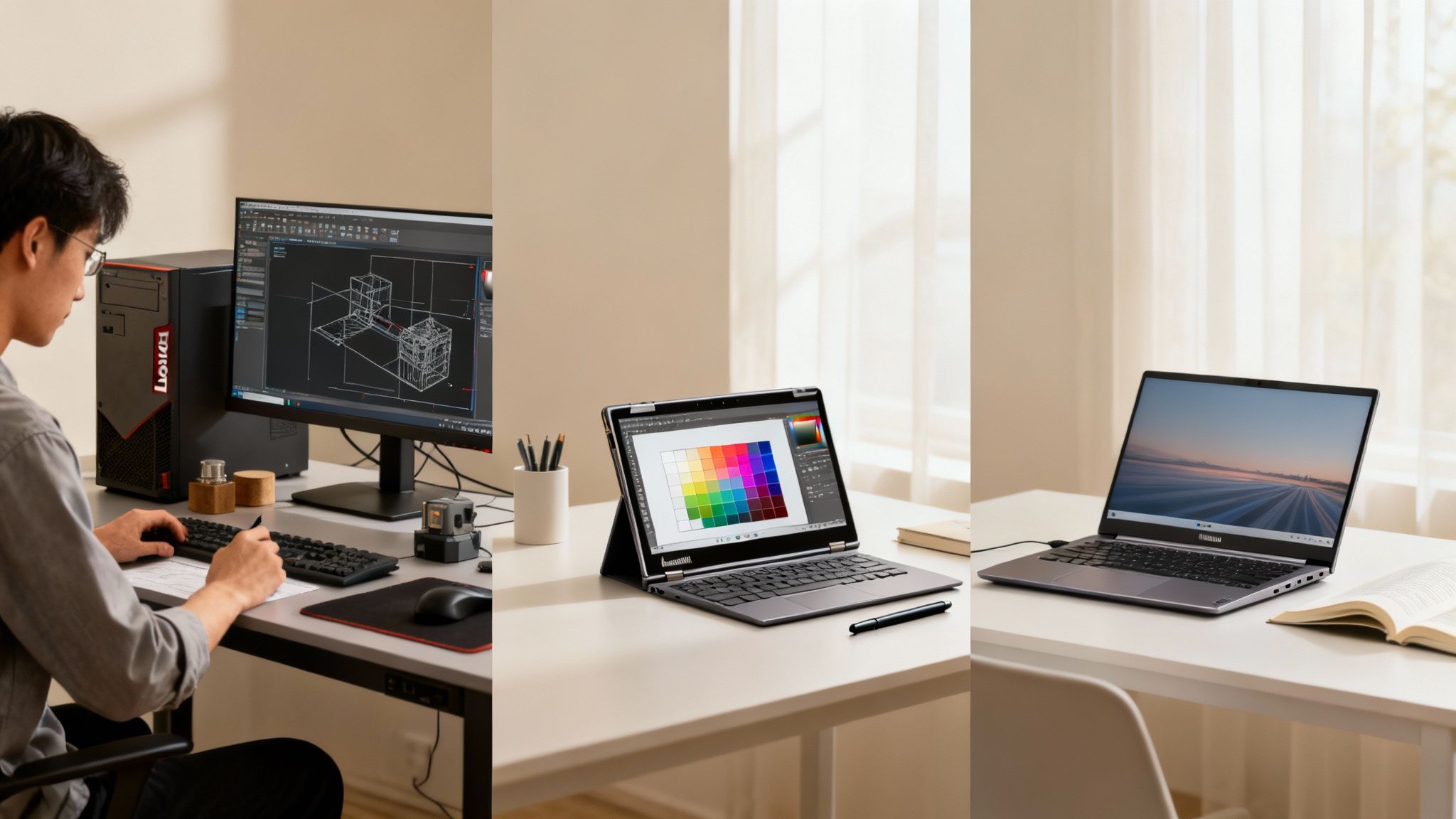
Let's be real: picking a laptop isn't a one-size-fits-all deal. The machine an engineering major needs to run complex simulations is worlds away from what a graphic design student needs for their digital portfolio. The secret to a smart investment is matching the laptop’s strengths directly to your coursework.
This means you’ve got to think beyond just the spec sheet. How will a laptop’s features actually help you get through late-night study sessions and final projects? For some, a beast of a processor is non-negotiable. For others, a lightweight design and a killer keyboard are what really count.
Let's break down which Lenovo series is the right tool for your specific field of study.
STEM and Engineering Powerhouses
If you're in a Science, Technology, Engineering, or Math (STEM) program, your laptop needs to handle some serious heavy lifting. We're talking resource-hungry applications like CAD software, data analysis tools, and complex coding environments. These programs demand serious processing power and, more often than not, a dedicated graphics card to keep things from grinding to a halt.
For STEM students, performance isn't just about speed—it's about capability. An underpowered machine will lead to infuriating lag and slow render times, torpedoing your productivity when you can least afford it.
- Top Recommendation: The Lenovo LOQ 15 is a standout choice here. Its dedicated NVIDIA graphics card gives you the muscle needed for 3D modeling and tough simulations, and its solid cooling system ensures it won’t overheat during those marathon project sessions.
- Alternative Choice: For a mix of raw power and legendary durability, a Lenovo ThinkPad E14 Gen 5 configured with a high-end processor is a fantastic option. It can chew through demanding software while giving you that best-in-class keyboard that coders dream about.
Humanities and Business Workhorses
Majoring in humanities, business, law, or social sciences? Your laptop is your command center for research, writing, and communication. Think long nights typing essays, analyzing texts, building presentations, and juggling dozens of browser tabs for your research paper.
In this world, portability and user experience are king. You need a machine that’s light enough to haul across campus all day and a battery that won’t quit on you mid-lecture.
The most crucial feature for writing-heavy majors is the one everyone forgets: the keyboard. A comfortable, responsive keyboard can be the difference between a painful all-nighter and a productive one.
- Top Recommendation: The Lenovo ThinkBook 13s Gen 4 is a perfect match. It’s incredibly light, looks professional, and has a fantastic screen with a taller aspect ratio—letting you see more of your document without endless scrolling.
- Budget-Friendly Option: The Lenovo IdeaPad Slim 3 gives you everything you need for writing and research in a sleek, affordable package. It's portable, handles everyday tasks with ease, and is an amazing value for the price.
Creative Arts and Design Studios
For students in graphic design, digital art, or video editing, your laptop is both a computer and a canvas. A high-resolution, color-accurate display is absolutely essential to make sure your work looks exactly the way you envisioned it.
Beyond the screen, versatility is a massive advantage. The ability to seamlessly switch from typing an email to sketching an idea can completely change your creative workflow. This is where 2-in-1 convertible laptops really come into their own.
- Top Recommendation: The Lenovo Yoga 7i 2-in-1 is the clear winner for creatives. Its gorgeous touchscreen display and 360-degree hinge make it ideal for digital drawing with a stylus, but it still packs enough punch to run demanding software like the Adobe suite.
- Premium Choice: If your budget allows, the Lenovo ThinkPad X1 Carbon Gen 11 offers an absolutely stunning display in an ultralight body. It’s a portable creative studio with zero compromises.
Finding the Best Deals on Your Lenovo Laptop
Getting the right laptop for uni is a big investment, but that doesn't mean you have to drain your bank account. The trick is knowing how to play the game. With a bit of smart timing and knowing where to look, you can snag an amazing Lenovo without paying top dollar.
The best strategy is a two-pronged attack: stack official student discounts with big seasonal sales. It's the surest way to get the most machine for your money.
Leveraging Student Discounts and Sales
The easiest win is using Lenovo’s own student program. Just by verifying you're a student, you unlock special pricing that regular shoppers don't get. We've actually put together a full guide on the Lenovo student discount program to walk you through getting every last penny of savings.
But the real magic happens when you time your purchase right. Major shopping holidays are your best friends.
- Back-to-School Sales: These run from about July to September and are tailor-made for students. You'll often find the best prices of the entire year on the exact models that are perfect for coursework.
- Black Friday and Cyber Monday: That weekend after Thanksgiving is a goldmine for tech deals. If you've got your eye on a more powerful, higher-end model, this is the time to pounce.
- Seasonal Sales: Don't forget about other sales events. Things like President's Day or Amazon Prime Day can have surprisingly deep cuts on electronics if you keep your eyes peeled.
Pro tip: Look beyond the price tag itself. A lot of these sales throw in freebies like software, a mouse, or an extended warranty. That stuff adds up and can be just as valuable as a direct discount.
Exploring Refurbished and Trade-In Options
Another brilliant way to make your budget go further is to look at certified refurbished laptops. Places like Amazon Renewed have devices that have been professionally inspected and cleaned to work and look brand new. They usually come with a solid warranty, so you get peace of mind while saving a ton—sometimes up to 40% off what it would cost new.
And before you buy anything, see what your current laptop is worth. Selling your old tech can take a serious chunk out of the cost of a new Lenovo. For the best prices, it's worth figuring out where to sell my old laptop to get the most cash back. Combine that trade-in money with a student discount, and your new laptop suddenly becomes a whole lot more affordable.
Frequently Asked Questions
Alright, let's tackle some of the biggest questions that pop up when you're trying to pick the right Lenovo. Getting this right comes down to figuring out what you really need – power, portability, or the best price you can find.
Is a ThinkPad or IdeaPad Better for College Students?
This is the classic Lenovo showdown, and honestly, it all boils down to your major and your budget.
ThinkPads are absolute workhorses. They're legendary for a reason – rock-solid durability and keyboards so good you'll actually enjoy typing that 5,000-word essay. If you're in a demanding field like engineering or business and want a machine that will power through your entire degree without a single hiccup, a ThinkPad is a smart long-term investment.
IdeaPads, on the other hand, are designed with a student-friendly price tag in mind. They pack great performance for everyday tasks and have slick, modern designs. For general coursework, streaming Netflix, and late-night research sessions, an IdeaPad offers fantastic value for money.
How Much RAM Do I Really Need for University?
You might see laptops with 8GB of RAM and think it's enough, but trust me on this: go for 16GB. Modern uni life is a masterclass in multitasking. Picture this: you've got twenty browser tabs open for a research paper, you're on a Zoom lecture, and you're collaborating on a Google Doc with your group.
That's where 16GB of RAM saves the day, keeping your laptop snappy and responsive instead of grinding to a halt. If you're studying anything like engineering, computer science, or digital art, 16GB isn't just a nice-to-have; it's non-negotiable for running specialised software smoothly.
A huge mistake students make is skimping on RAM to save a few bucks. Bumping up to 16GB is the single best way to future-proof your laptop and avoid the frustration of a slow machine halfway through your degree.
Are Lenovo Yoga 2-in-1 Laptops Good for Taking Notes?
Yes, they're brilliant for it. The Yoga series is pretty much built for students who want to ditch paper notebooks. The 2-in-1 design is a game-changer – just flip the screen around, and you've got a tablet. Grab a stylus, and you can scribble notes, draw diagrams, or annotate PDFs directly on the screen.
This is especially clutch for subjects like chemistry, maths, or design where you need to sketch out formulas and ideas. And when it's time to write that paper, make sure your arguments are as sharp as your notes. You might find our guide on the Grammarly student discount handy for polishing up your essays.
Should I Get a Laptop with a Dedicated Graphics Card?
For most students, the answer is probably no. If you're a business or liberal arts major, the integrated graphics built into today's processors are more than capable of handling everything you'll throw at them.
However, if your degree involves any kind of video editing, 3D modelling, or heavy data visualisation, a dedicated graphics card (dGPU) is a must. It'll make a night-and-day difference, speeding up rendering times and making everything feel incredibly smooth. It's also essential if you're a serious gamer looking to unwind after a long study session.