

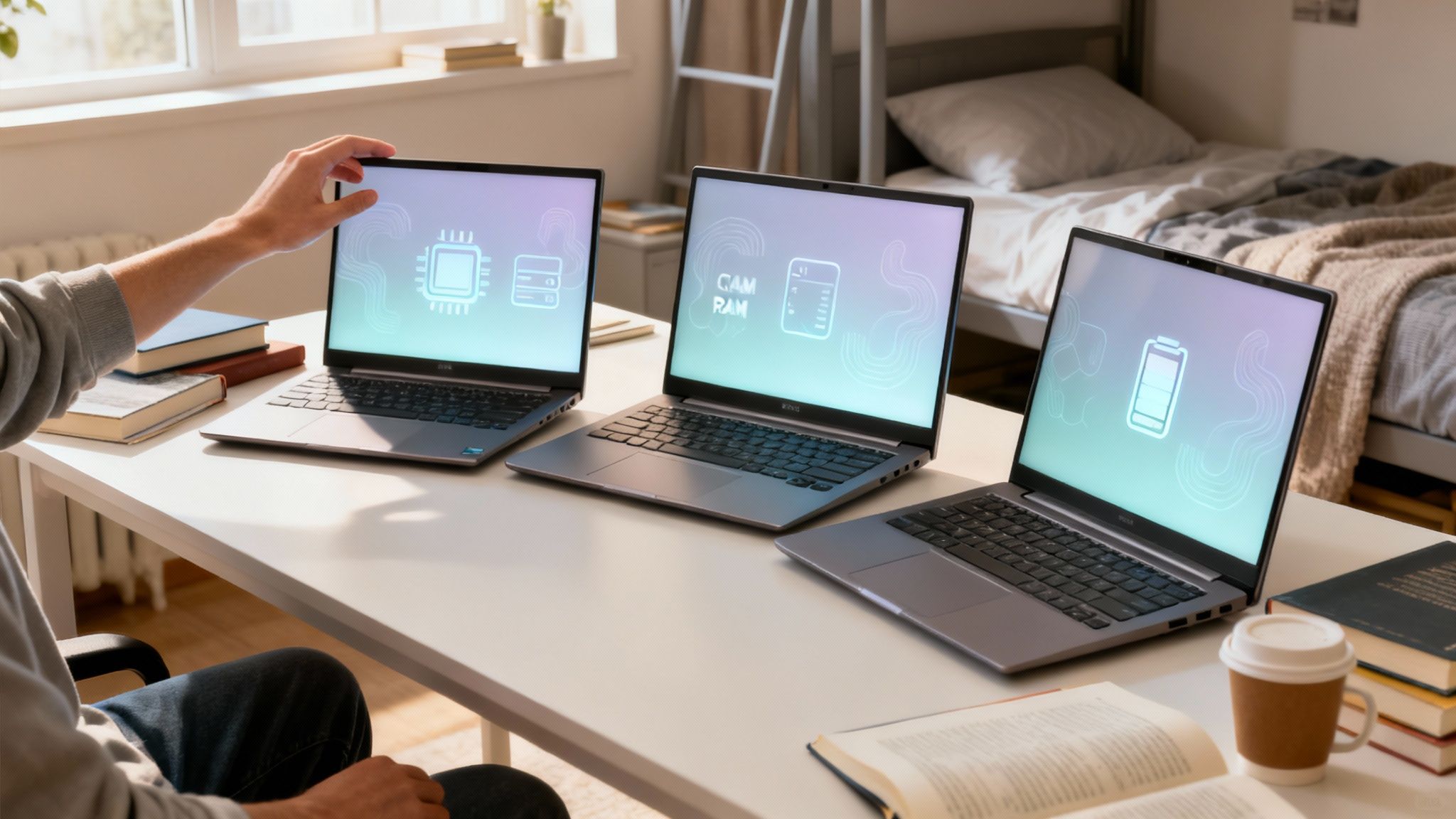
Let’s be real, finding the perfect laptop for uni feels like a massive chore, but getting one of the best laptops for college students under 500 dollars is totally doable. You don’t have to live off two-minute noodles to afford a decent machine. Some real workhorses like the Acer Aspire Go 15 and the Lenovo IdeaPad series give you a solid mix of reliable performance and a price tag that won’t make you cry.
Finding the Right Laptop for Your College Journey
Trying to pick a budget laptop can feel a bit overwhelming. You just need something that won’t die during a late-night cram session, can handle streaming lectures without buffering, and lets you video call home. The good news? The market is packed with great options if you know what to look for.
The global laptop market hit a crazy $109.9 billion in 2024, but for us students, the real magic happens in that under-$500 sweet spot. With PC sales for education expected to rocket from $19.4 billion to $47.6 billion by 2033, companies are fighting to give us powerful, affordable machines.
To make a smart choice, you’ve got to cut through all the tech-speak. Forget getting bogged down in spec sheets and instead, focus on how a laptop’s core parts will actually help you get through your daily student grind.
Key Essentials for a Student Laptop
The holy trinity of a good student laptop is its processor (CPU), memory (RAM), and storage. These three things work together to decide how smoothly your computer runs when you’ve got 15 tabs open for research, Spotify playing in the background, and a Word doc you should be writing.
This handy visual breaks down what you really need to look for when it comes to the CPU, RAM, and storage to crush your classes.
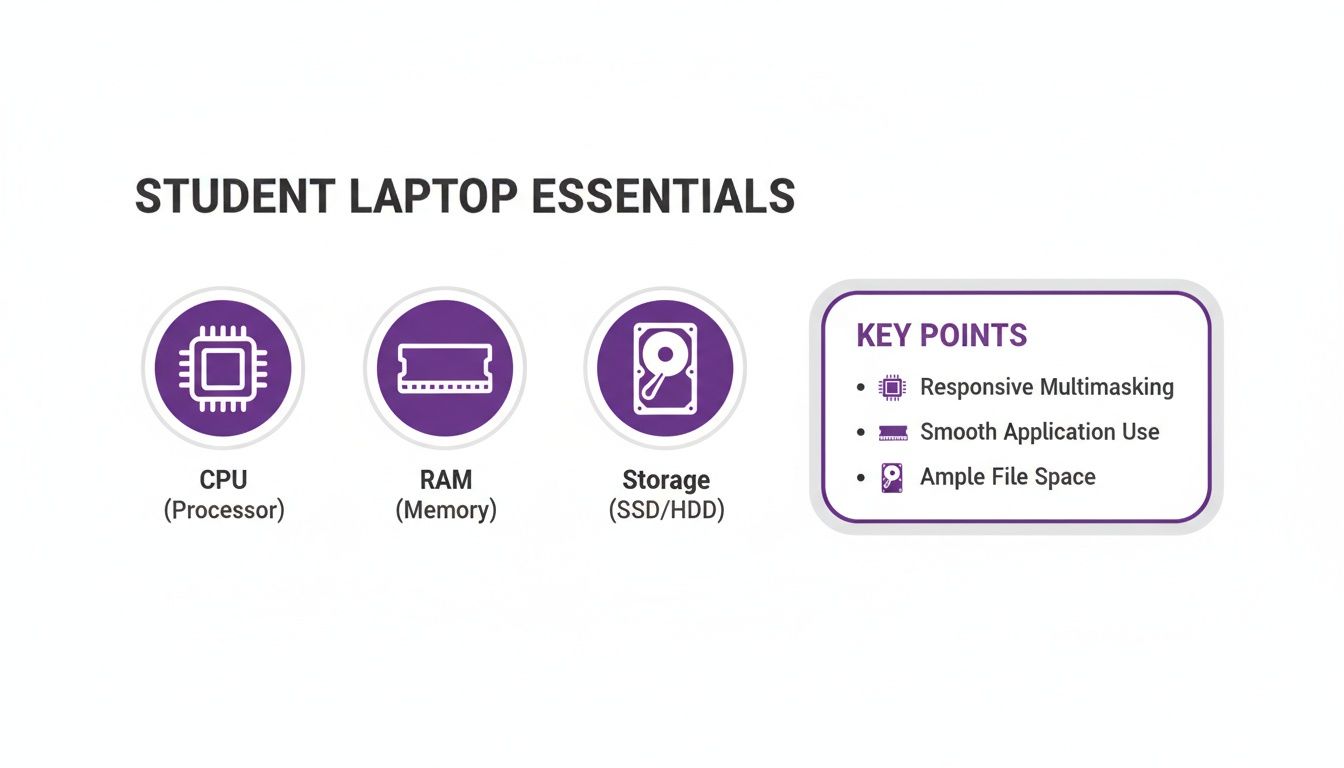
It really boils down to having a balanced setup: a decent processor, enough RAM to juggle your tasks, and speedy storage so you’re not waiting forever for files to open. Beyond the basics, think about any special tools you might use. For instance, a lot of students find lecture transcription tools for students to be lifesavers for turning long lectures into easy-to-read notes.
The right laptop isn’t just about the hardware inside; it’s about finding a tool that seamlessly integrates into your academic routine, from the library to the lecture hall. A balanced machine ensures technology is an asset, not a bottleneck.
To make things even easier, here’s a quick look at our top picks.
Quick Comparison Of Top Laptops Under $500 For Students
This table gives you a bird’s-eye view of the 7 recommended laptops, showing what they’re best for, their key specs, and what you can expect to pay. It’s perfect for comparing them side-by-side.
| Laptop Model | Best For | Key Specs (CPU/RAM/Storage) | Approx. Price |
|---|---|---|---|
| Acer Aspire Go 15 | Overall Performance | Intel Core i3 / 16GB / 512GB SSD | $430 |
| Acer Chromebook Plus 514 | Simplicity & Battery Life | Intel Core i3 / 8GB / 512GB SSD | $345 |
| Lenovo IdeaPad 1 | Touchscreen on a Budget | AMD Ryzen 5 / 8GB / 512GB SSD | $450 |
| ASUS Vivobook 15 | Build Quality & Fingerprint Reader | Intel Core i5 / 16GB / 512GB SSD | $499 |
| HP Laptop 15 | Everyday Reliability | AMD Ryzen 3 / 8GB / 256GB SSD | $380 |
| Acer Aspire 3 | Massive Storage | AMD Ryzen 5 / 16GB / 1TB SSD | $500 |
| Dell Inspiron 15 | Brand Trust & Support | Intel Core i3 / 8GB / 256GB SSD | $400 |
Hopefully, that gives you a clearer picture of what’s out there. Each one of these has its own strengths, whether you need tons of storage, a long battery life, or just a solid all-rounder.
What Specs Matter Most for Student Laptops?
Before you pull the trigger on a new laptop, you need to know what’s going on under the hood. For a student budget under $500, you aren’t hunting for a powerhouse gaming rig. Instead, the goal is to find a balanced machine that can juggle your classes, research, and late-night study sessions without throwing a fit.
Let’s be real, having the right tech matters more than ever. Since the pandemic flipped education on its head, the demand for student PCs has exploded. We’re talking a jump from $19.45 billion in 2024 to an expected $22.16 billion in 2025—that’s a massive 13.9% leap. And it’s not stopping there, with projections hitting $37.58 billion by 2029, all thanks to budget-friendly laptops leading the charge. You can read more about the education PC market overview to get the full picture.
So, what should you actually look for? Let’s break it down, no jargon allowed.
The Brains of the Operation: CPU
Think of the Central Processing Unit (CPU) as your laptop’s brain. For under $500, you don’t need a genius, but you do need something that can think fast enough to keep up with you.
- Intel Core i3 or AMD Ryzen 3: These are your go-to options. They hit the sweet spot for browsing tons of tabs, writing essays, and streaming lectures without that annoying lag.
- Avoid Celeron or Pentium: I know the price tag is tempting, but trust me on this one. These processors will start to choke the second you try to do more than one thing at a time. It’s a recipe for frustration.
A decent Intel Core i3 can easily handle you flipping between a dozen research tabs, writing a paper in Google Docs, and having Spotify on in the background. That’s the kind of multitasking you’ll actually be doing.
Memory for Multitasking: RAM
Random Access Memory (RAM) is like your laptop’s short-term memory. It’s what lets you keep all your apps and tabs open and ready to go. As a student, you’re the king of multitasking, so this is a big one.
Make 8GB of RAM your absolute minimum. No negotiations. This is what will let you switch from a Zoom call to your notes to your research without your computer grinding to a halt. Anything less, and you’ll feel the slowdown as soon as you open a handful of browser tabs, which is a total productivity killer.
Storage: Speed vs. Size
This is where your files—from term papers to downloaded lectures—live permanently. In this price range, you’ll see two types of drives, and the difference is night and day.
- Solid-State Drive (SSD): This is the clear winner. An SSD has no moving parts, making it way faster and more durable. Laptops with an SSD boot up in seconds and open apps instantly. Look for at least 256GB of SSD storage.
- Hard Disk Drive (HDD): You might see laptops offering a huge 1TB HDD for a bargain price, but you’ll pay for it in speed. An HDD will make your whole system feel sluggish and ancient.
Prioritize a smaller, faster SSD over a larger, slower HDD. The speed boost you get is a total game-changer for daily use. You can always grab an external drive or use cloud storage if you need more space later.
Display and Portability
Finally, think about the stuff that affects your daily life on campus. A 1080p (1920×1080) Full HD display is non-negotiable. It keeps text and videos sharp and clear, so you won’t be squinting your way through long reading assignments.
Don’t forget about weight and battery life. A laptop under 4 pounds is a lifesaver when you’re trekking across campus. And for battery, aim for a model that promises at least 8 hours of life. That should be enough to get you through a day of classes without having to hunt for a power outlet.
In-Depth Reviews of the Top 7 Laptops Under $500
Let’s be real: trying to find the best laptops for college students under 500 dollars can feel overwhelming. The market is flooded with options, and at this price point, you’re always going to be making a few trade-offs. The trick isn’t finding a flawless machine—it’s finding the right machine for your specific needs.
This guide goes beyond just listing specs. We’re breaking down what it’s actually like to use these top 7 picks for a full semester. We’ll cover everything from how comfortable the keyboard is for those all-night essay grinds to whether it can handle a dozen research tabs and a lecture streaming at the same time. Think of this as finding a reliable study buddy that won’t flake on you.
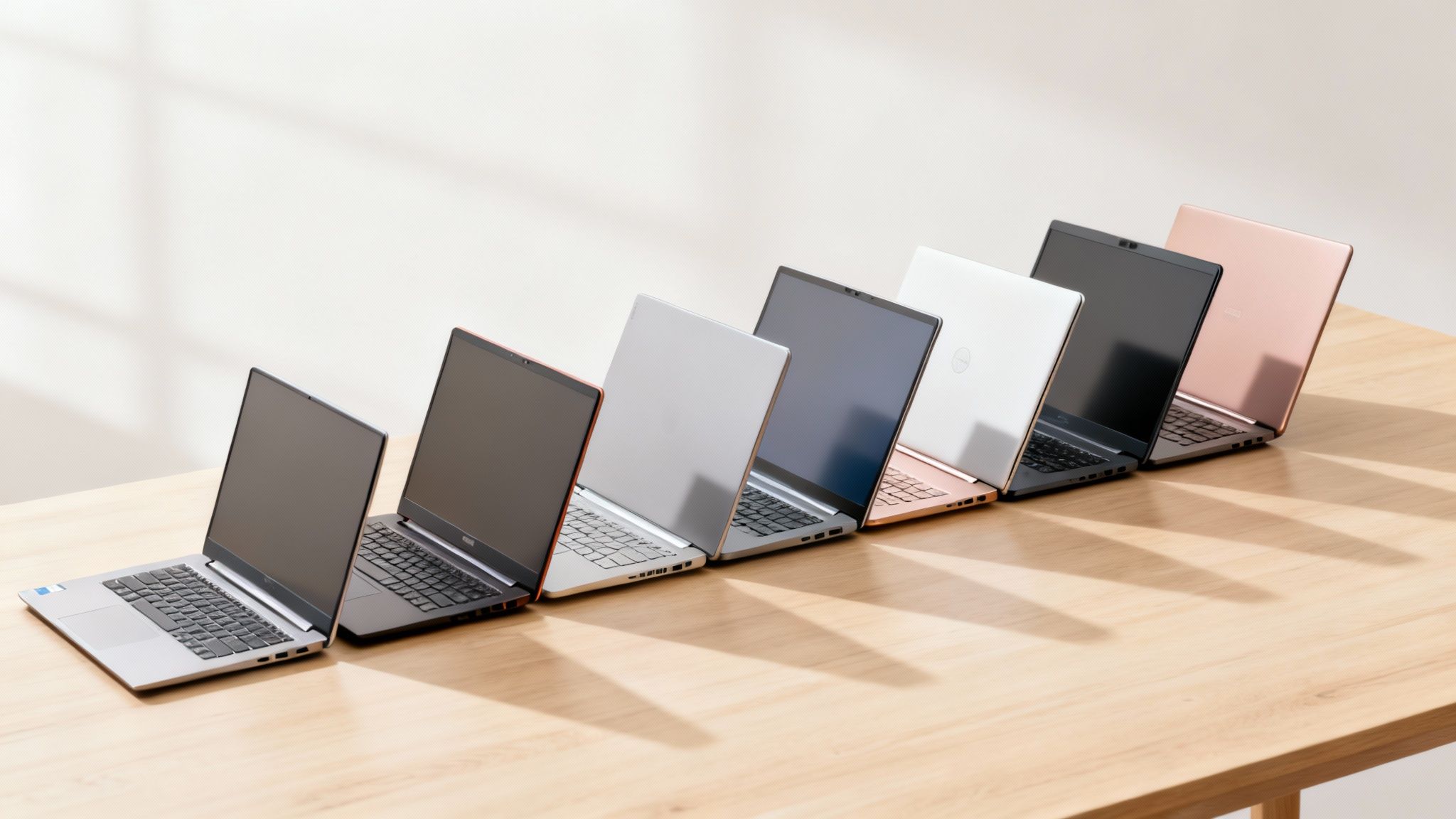
1. Acer Aspire Go 15 (AG15-32P-30YE): The Overall Performer
The Acer Aspire Go 15 nails the essentials, making it a standout choice right off the bat. It packs a surprisingly quick Intel Core i3 processor and a massive 16GB of RAM, which means it can juggle everyday student tasks without even flinching. This is the perfect laptop if you’re the type to have countless browser tabs open for a research paper while streaming a study playlist and typing notes. Its 15.6-inch 1080p display is a huge improvement over the washed-out screens you typically find on budget laptops, and the 512GB SSD gives you a ton of speedy storage for all your assignments and software.
- Pros: Generous 16GB of RAM handles heavy multitasking. Crisp 1080p display is easy on the eyes. Convenient USB-C charging.
- Cons: A bit bulky at nearly four pounds. Comes with pre-loaded bloatware that should be uninstalled.
2. Acer Chromebook Plus 514 (CB514-6HT-368E): The Simplicity Champion
If your entire academic world lives online, the Acer Chromebook Plus 514 is an incredible option. It boots up in seconds, is completely free of the annoying bloatware that bogs down Windows PCs, and offers a clean, simple experience built for Google Docs, web research, and streaming. Its best feature? The battery lasts an insane 12 hours on one charge. That makes it a dream for long days of back-to-back classes and library study sessions.
Chrome OS is a fantastic option if you don’t need specialized Windows software. Its speed, security, and simplicity are perfect for most humanities, social science, and general education coursework.
- Pros: Excellent all-day battery life. Lightweight, fast, and secure. Good build quality for the price.
- Cons: Cannot run traditional Windows or macOS software. Webcam and speakers are merely functional, not high-quality.
3. Lenovo IdeaPad 1 (82VG00TYUS): The Touchscreen Value Pick
Finding a good touchscreen laptop for under $500 is tough, but the Lenovo IdeaPad 1 pulls it off. When you can find it on sale, this model gives you a fantastic hands-on experience for taking notes or swiping through presentations. It’s got a solid AMD Ryzen 5 processor and 8GB of RAM, which is plenty of power for your typical coursework. The build quality feels sturdy, and Lenovo keyboards are legendary for being comfortable to type on for hours. Pro tip: see if you can snag an even better deal through the official Lenovo student discount program to make your budget go further.
- Pros: Responsive touchscreen is a huge plus for tactile learners. Excellent keyboard for long typing sessions. Smooth performance from the Ryzen 5 processor.
- Cons: Average battery life of around 8 hours. The trackpad can feel a bit mushy when clicking.
4. ASUS Vivobook 15 (F1504VAP-SB57): The Premium Feel
The ASUS Vivobook 15 throws in a few high-end features that actually make a difference in your daily routine. There’s a fingerprint reader right on the trackpad for quick, secure logins, and the backlit keyboard is an absolute lifesaver during late-night study sessions in a dim dorm room. It’s no slouch on the inside, either. With an Intel Core i5 processor and 16GB of RAM, it’s one of the most powerful options on this list.
- Pros: Convenient fingerprint reader and backlit keyboard. Powerful Core i5 and 16GB RAM combo for heavy multitasking. Solid build quality.
- Cons: Underwhelming battery life that may not last a full school day. The screen has a noticeable cool, blueish tint.
5. HP Laptop 15 (15-fc0093dx): The Reliable Workhorse
Sometimes, you just need a laptop that gets the job done without any fuss. The HP Laptop 15 is that no-frills, dependable machine perfect for writing papers, browsing the web, and joining online classes. It runs on an AMD Ryzen 3 processor with 8GB of RAM, a perfectly capable setup for all your standard productivity tasks. HP is a name you can trust for reliability, making this model a safe bet if you value stability over flashy extras.
- Pros: Solid reputation for reliability and support. Handles all core student tasks smoothly. Good selection of ports for accessories.
- Cons: The all-plastic build feels functional but not premium. Battery life is average and may require carrying a charger.
6. Acer Aspire 3 (A315-24PT-R288): The Storage Powerhouse
If you’re downloading massive lecture videos, working with big datasets, or just have a crippling fear of running out of space, the Acer Aspire 3 is your answer. It comes with a gigantic 1TB SSD, which is pretty much unheard of for under $500. That’s an enormous amount of lightning-fast storage. It’s not just about space, though. It also has a powerful AMD Ryzen 5 processor and 16GB of RAM, so it can chew through demanding coursework.
- Pros: Massive 1TB SSD offers incredible storage. Powerful Ryzen 5 CPU and 16GB RAM combo. Matte touchscreen reduces glare.
- Cons: One of the heavier and less portable options at nearly 4 pounds. The keyboard and trackpad are functional but not exceptional.
7. Dell Inspiron 15 (3520): The Trusted Mainstream Choice
There’s a reason the Dell Inspiron 15 is such a classic. It delivers a well-balanced package from a brand known for quality. This model usually rocks an Intel Core i3 processor, 8GB of RAM, and a 256GB SSD, hitting all the sweet spots for a smooth student experience. It might not be the best in any single category, but its real strength is its consistency. The keyboard is comfy, the screen is decent, and the performance is reliable for all your day-to-day work.
- Pros: Trusted brand with a reputation for good build quality and support. Delivers consistent, reliable performance. Comfortable keyboard for long writing sessions.
- Cons: The design is traditional and uninspired. Battery performance is average, so you’ll likely need the charger for a full day.
Matching Your Laptop to Your College Major

Let’s be real, picking a laptop under $500 isn’t a one-size-fits-all deal. The machine a film student needs is worlds away from what a history major requires. The key is to match your laptop’s guts to your field of study. Get this right, and your tech becomes an asset, not a source of constant frustration.
Think about it: your major determines the software you’ll be running day in and day out. An English major will spend 90% of their time in a web browser and a word processor. An engineering student, on the other hand, needs a machine that can actually crunch numbers without breaking a sweat. A little forethought now will save you from a world of hurt later.
For Humanities and Social Science Majors
If you’re diving into history, English, sociology, or communications, your laptop is basically your mobile library and typewriter. Your non-negotiables are a comfortable keyboard, a crisp display for hours of reading, and a battery that won’t die on you in the middle of a crucial lecture.
You really don’t need a powerhouse processor. An Intel Core i3 or AMD Ryzen 3 with 8GB of RAM is plenty to juggle dozens of browser tabs, PDF articles, and your word processor all at once. Instead, pour your energy into finding a model known for its all-day battery life and an ergonomic design that won’t cramp your style (or your hands).
- Top Priority: A comfortable, tactile keyboard is everything. You’ll be typing thousands of words for essays, so don’t settle for a mushy one.
- Key Feature: Aim for at least 8-10 hours of real-world battery life. You want the freedom to study anywhere on campus without hunting for an outlet.
- Good Choice: A Chromebook, like the Acer Chromebook Plus 514, is often a perfect, distraction-free fit for this kind of focused work.
For Business and Marketing Majors
Welcome to the world of spreadsheets, presentations, and hardcore multitasking. If you’re a business, finance, or marketing student, you need a reliable Windows machine that can handle the full Microsoft Office suite—especially Excel and PowerPoint—without flinching.
This is where a slightly beefier processor, like an AMD Ryzen 5 or a modern Intel Core i5, really pays off. Pair that with 8GB or 16GB of RAM, and you’ll avoid that painful lag when you’re wrestling with big datasets or building a complex presentation. Oh, and a decent webcam and microphone are must-haves for all those virtual team meetings.
A business student’s laptop has to be a multitasking workhorse, period. The ability to flip between a gnarly spreadsheet, a video call, and a presentation deck without a single hiccup is what makes it a genuinely useful tool instead of just another productivity bottleneck.
For STEM and Creative Majors
Alright, for students in science, technology, engineering, math (STEM), or creative fields like graphic design, this is where it gets tricky. Finding a machine under $500 that can handle specialized, power-hungry software is a challenge, but it’s not impossible.
Your mission is to hunt down the best CPU and the most RAM you can find in your price range. Look for models packing an AMD Ryzen 5 and 16GB of RAM, like the Acer Aspire 3 or ASUS Vivobook 15. They won’t have a dedicated graphics card for the heavy-duty 3D modeling, but they have enough juice for entry-level programming, statistical analysis, and some light photo editing. Don’t forget to see if you can snag an ASUS student discount to stretch your budget and squeeze a little more performance out of your purchase.
To make this even clearer, let’s break down the specs you should be looking for based on what you’re studying.
Recommended Laptop Specs By Major
| Field of Study | Minimum Specs (CPU/RAM/Storage) | Recommended Feature |
|---|---|---|
| Humanities & Social Sciences | Intel Core i3 / 8GB RAM / 256GB SSD | Long battery life (10+ hours) and a quality keyboard |
| Business & Marketing | Intel Core i5 / 8GB RAM / 256GB SSD | 14-15 inch Full HD display for multitasking |
| STEM (Computer Science, Math) | AMD Ryzen 5 / 16GB RAM / 512GB SSD | A comfortable keyboard for long coding sessions |
| Creative Arts (Light Design) | AMD Ryzen 5 / 8GB RAM / 256GB SSD | An IPS display with good color accuracy |
| Engineering (Entry-Level) | AMD Ryzen 5 / 16GB RAM / 512GB SSD | Multiple ports (USB-A, USB-C, HDMI) |
Ultimately, this table is a starting point. Your specific courses might have unique software requirements, so it’s always a smart move to check your department’s recommendations before you buy.
How to Find the Best Laptop Deals and Discounts
Nailing down one of the best laptops for college students under $500 is a great start, but getting it for even less? That’s a massive win. Smart shopping isn’t about luck; it’s all about strategy. Knowing when and where to look can shave some serious cash off the final price, freeing up your budget for textbooks or those crucial late-night pizza runs.
Timing is everything. Major sales events are your best friend for snagging deep discounts on electronics. You can often find incredible deals during specific periods that line up perfectly with the school year.
- Back-to-School Sales (July-August): This is prime time. Retailers like Amazon and Best Buy roll out their most aggressive laptop deals, often bundling free software or accessories.
- Black Friday & Cyber Monday (November): If you can hold out until November, the deals are legendary. You might just see mid-range models dip into that sweet sub-$500 category.
- Amazon Prime Day (Typically July): This is an exclusive party for Prime members that offers some of the year’s lowest prices on a ton of tech, including budget-friendly laptops.
Tapping into Student-Specific Savings Programs
Beyond the big seasonal sales, just being a student unlocks a whole world of exclusive discounts. Heaps of manufacturers and retailers have programs designed specifically to make their tech more affordable for you. These aren’t just tiny markdowns; they can be significant savings that bring a better laptop right into your budget.
This is especially true as the global back-to-college market keeps getting bigger. In 2024, it hit a staggering $408.19 billion, and a huge chunk of that was spent on tech like laptops. This massive demand means companies are fighting for your business, which luckily for us, means better deals.
One of the easiest ways to find these offers is through platforms that do the work for you. For instance, you can check for exclusive student discounts from major brands to see if your top laptop choice is on the list. These sites gather all the codes and special offers in one spot, saving you a ton of time and money.
New vs. Refurbished Laptops
Another killer way to stretch your budget is to look at refurbished laptops. A high-quality, manufacturer-certified refurbished machine can give you way more power for your money. These are usually devices that were returned shortly after purchase and have been professionally inspected, fixed up, and certified to work like new.
Choosing a certified refurbished laptop from a trusted source like Amazon Renewed or the manufacturer’s own outlet can be a brilliant move. You often get a higher-spec machine for the same price as a new, lower-spec model, complete with a warranty.
Of course, buying new has its perks. You get a completely untouched device with a full manufacturer’s warranty and the latest components straight out of the box. To make the best call, you just need to weigh the pros and cons for your own situation.
New vs. Refurbished: The Showdown
| Feature | New Laptop | Refurbished Laptop |
|---|---|---|
| Cost | Higher initial price for the same specs. | Lower price, often giving you more power for your money. |
| Warranty | Full manufacturer’s warranty (typically 1 year). | Shorter warranty period (often just 90 days). |
| Condition | Pristine, factory-sealed condition. No surprises. | Might have minor cosmetic scuffs or scratches. |
| Peace of Mind | Guaranteed new components and a fresh battery life. | Components are tested but have seen some use. |
Ultimately, whether you hunt for seasonal sales, use student discount portals, or go for a refurbished model, a little bit of effort can lead to big savings on your college laptop.
Got Questions About College Laptops? We’ve Got Answers.
Jumping into the world of budget laptops can definitely stir up a lot of questions. But don’t sweat it. Getting straight answers is the key to picking one of the best laptops for college students under $500 that you’ll actually love using all semester. Let’s tackle some of the most common head-scratchers to get you on the right track.
We’ll clear up the confusing stuff, from choosing an operating system to figuring out which specs really matter for your day-to-day grind.
Is 8GB of RAM Enough for a College Student?
For sure. For almost everything you’ll do in college, 8GB of RAM is the perfect amount. It’s more than enough memory to juggle multiple browser tabs for research, run your word processor, and hop on a video lecture without your computer feeling like it’s wading through mud.
Sure, 16GB is nice if you’re diving into heavy-duty software, but for all the essential academic work, 8GB hits that sweet spot. It delivers reliable, smooth performance and is exactly what you should aim for in this price range.
Should I Get a Chromebook or a Windows Laptop?
This one comes down to your major and how you like to work. Chromebooks are awesome for their simplicity, rock-solid security, and ridiculously good battery life. If most of your work is online—writing in Google Docs, heavy research, streaming lectures—a Chromebook is a fast, clean, and efficient choice.
But, and this is a big but, Windows laptops offer way more software flexibility. If your program requires specific applications for stats, design, coding, or anything else you have to download and install, a Windows machine is non-negotiable. Before you buy anything, double-check the software requirements for your courses.
Your choice between ChromeOS and Windows boils down to software. Chromebooks are streamlined for web-based work, but a Windows laptop guarantees you can run any program your major throws at you.
How Important Is Battery Life for a College Laptop?
It’s everything. Honestly, you want a laptop that can power through a full day of classes without sending you on a desperate hunt for a power outlet. Aim for models that claim at least 8-10 hours of battery life.
This gives you the freedom to study anywhere on campus, whether it’s the library basement or a sunny spot on the quad. Pro tip: always check recent, real-world reviews. Manufacturer claims can sometimes be a bit optimistic compared to how you’ll actually use it day-to-day. For families also thinking about digital well-being, learning about setting up parental controls for student devices is a great way to manage screen time and content.
Can I Game on a Laptop Under $500?
Yes, but you’ll need to keep your expectations in check. Laptops in this price range use integrated graphics, which just aren’t built to run the newest, most demanding games on high settings. It’s just not going to happen.
That said, you can absolutely play tons of popular, less-demanding titles. Indie games, browser-based games, and older classics like Stardew Valley or Minecraft will run just fine on lower settings. If you’re hoping to play graphically intense AAA games, you’ll need a laptop with a dedicated graphics card, and those live in a much higher price bracket.