


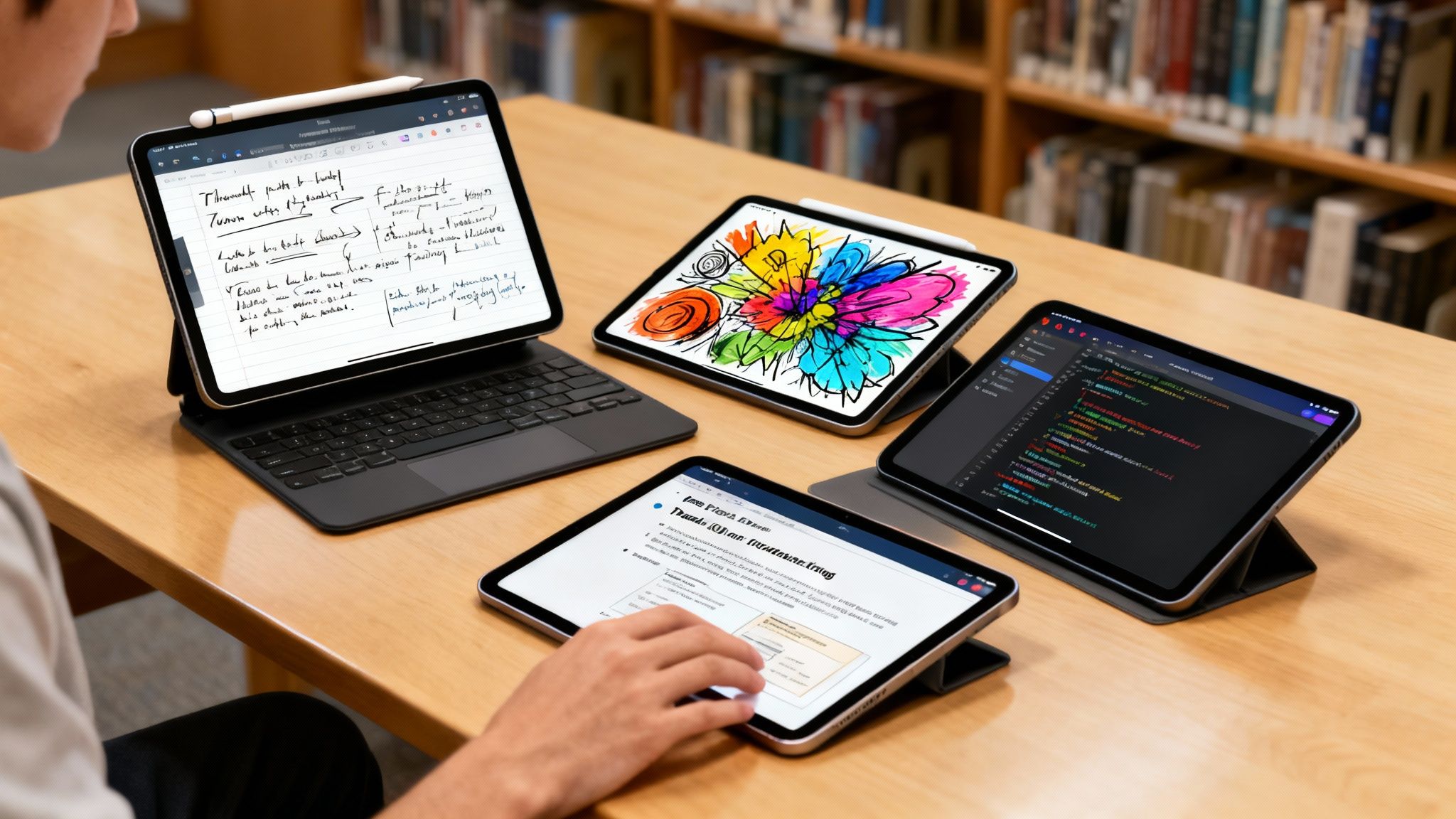
For most students, the iPad Air is the top all-rounder, hitting that sweet spot between power, portability, and price. It’s a workhorse ready for lectures, creative projects, and those late-night study sessions. This guide will help you find your perfect match.
How to Choose Your Ultimate Study Partner
Picking the right tech for college can feel like a huge decision, but an iPad simplifies just about everything, from taking notes to collaborating on group projects. It’s way more than a tablet; it's your digital notebook, textbook, and creative canvas all rolled into one.
Its dominance in the classroom is no fluke. Apple actually holds a staggering 94% of the tablet market share in education, which just goes to show how well it fits into academic life.
With a few different models on the shelves, the trick is to match the device to your specific major and what you’ll actually be doing every day. This decision tree can help you figure out which path makes the most sense for your academic journey.
As the flowchart shows, it really breaks down into three main profiles. Creative majors will get the most out of the Pro's power, general studies students will find the Air is just right, and anyone constantly on the move should look at the ultra-portable Mini.
Finding Your Perfect Fit
To get started, let’s quickly break down the current lineup. This table gives you a snapshot of which iPad aligns best with different types of students, helping you narrow down the contenders for your backpack.
Quick Guide to the Best iPads for Students
Here's a quick look at the top iPad models, who they're best for, and their standout features to help you find the right fit for your academic journey.
| iPad Model | Best For | Standout Feature |
|---|---|---|
| iPad Air | The vast majority of students | M-series chip performance at a mid-range price |
| iPad Pro | Creative & STEM majors | ProMotion display and unrivaled processing power |
| iPad (10th Gen) | Budget-conscious students | Excellent value for essential academic tasks |
| iPad Mini | Fieldwork & high-portability needs | Compact size with a powerful processor |
Ultimately, your choice boils down to balancing three key things: what you'll use it for most, your budget, and how it fits into your life both in and out of the classroom.
Key Considerations Before You Buy
Think about your daily routine. Are you sprinting from one end of campus to another, or are you mostly camped out in a design lab? A lightweight model like the iPad Air or Mini is perfect for mobility, while the bigger screen on an iPad Pro might be better if it's also going to be your go-to for streaming shows.
Finally, don't forget to factor in the cost of essentials like the Apple Pencil and a keyboard case. They’re what truly unlock the iPad’s potential as a laptop replacement. To help with these costs, you can find a whole bunch of brand-specific student savings to make your entire tech setup a lot more affordable.
iPad Air: The Best All-Rounder for Most Students
For the vast majority of students, the iPad Air is the sweet spot. It perfectly balances high-end performance and practical value, sitting comfortably in the middle of Apple's lineup. You get a massive power boost over the entry-level model without shelling out for the specialized, and seriously expensive, features of the iPad Pro.
This makes it the go-to choice for any student needing a reliable device for pretty much every academic scenario you can throw at it.
The secret sauce is Apple's M-series chip. Yep, the same family of processors you'll find in MacBooks. This means the iPad Air handles demanding tasks without breaking a sweat. Juggling a dozen research tabs, a half-written essay in Google Docs, and a Zoom lecture all at once? No problem.
Honestly, this level of performance makes the iPad Air an incredibly versatile tool. It's more than capable of handling everything from complex spreadsheets for a finance class to some light video editing for a presentation.
Display and Design
The iPad Air rocks a stunning Liquid Retina display that makes everything from reading textbooks to streaming movies look crisp and vibrant. Its fully laminated screen is a bigger deal than it sounds—it means the pixels are right up against the glass, which creates a much more direct and natural feeling when you're taking notes with an Apple Pencil. For students planning to do a lot of handwriting, this is a game-changer.
Its sleek, lightweight design is another huge plus for campus life. Tossing it in a backpack is barely noticeable, making it a far more portable option than a traditional laptop for lugging between classes, the library, and study groups.
The iPad Air is the quintessential student device because it doesn't force you to compromise. You get pro-level power for demanding coursework and a lightweight design for all-day portability, all at a price that’s more accessible than the top-tier models.
Pros and Cons for Students
To figure out the best iPad for students, you've got to weigh the good against the not-so-good. The iPad Air absolutely shines in most areas, but a few things might make you pause.
Pros:
- Exceptional M-Series Chip Performance: It easily handles multitasking, creative apps, and demanding study software without a hint of lag. This thing is built to feel smooth for years.
- Premium and Portable Design: The lightweight aluminum body is a breeze to carry across campus, and the modern, flat-edged design just feels great and works with all the latest accessories.
- High-Quality Laminated Display: The screen has excellent color accuracy and an anti-reflective coating, making it perfect for both detailed note-taking and kicking back with Netflix after class.
Cons:
- Higher Cost Than Base Model: While it offers incredible value, its starting price is a noticeable jump from the 10th-generation iPad, which could be a stretch for some student budgets.
- Limited Base Storage: The entry-level storage can feel a bit tight for students working with large files, like video projects or extensive photo libraries. You might find yourself needing to pay for the storage upgrade.
- Lacks ProMotion Technology: The display is capped at a 60Hz refresh rate. It's perfectly fine for most things, but it lacks the buttery-smooth scrolling and drawing response of the iPad Pro's 120Hz ProMotion screen.
iPad Pro: The Ultimate Powerhouse for Creatives
For students knee-deep in demanding creative and technical fields, the iPad Pro isn't just another tablet—it's a specialized instrument. If your coursework involves architecture, 3D modeling, filmmaking, or high-fidelity graphic design, this is the one device that can genuinely keep pace with your ambitions. It stops being a simple study aid and becomes a primary tool for creation.
While other iPads are fantastic for notes and research, the Pro is built from the ground up for intensive, professional-grade apps. It’s really the only choice for students who need desktop-class performance but in a format they can actually carry around.
The secret sauce is its advanced M-series chip, the very same silicon that drives Apple’s laptops. This is what lets you edit multiple 4K video streams in LumaFusion or sculpt complex models in Shapr3D without the soul-crushing lag you’d hit on lesser hardware.
This is where the iPad Pro carves out its niche as the best iPad for students in specialized programs. It doesn't just run these apps; it absolutely flies with them.
Unmatched Display and Performance
The Pro’s absolute standout feature is its stunning Liquid Retina XDR display with ProMotion technology. This screen serves up an adaptive refresh rate of up to 120Hz, making every single interaction—from scrolling through a textbook to sketching with the Apple Pencil—feel incredibly fluid and instantaneous. For digital artists and designers, this practically eliminates the latency between the Pencil's tip and the line appearing on the screen.
That level of responsiveness is critical for precision work. When you're sketching detailed illustrations in Procreate or tweaking a CAD design, that immediate feedback makes the whole experience feel as natural as putting pen to paper.
The iPad Pro's combination of raw power and a hyper-responsive ProMotion display isn't a luxury for creative students; it's a necessity. It’s the difference between a tool that helps you work and a tool that just gets in your way.
Its Thunderbolt port is another pro-level feature that sets it apart. It allows for ridiculously fast data transfers, which is a total lifesaver when you're moving massive video files or project assets off an external SSD.
Pros and Cons for Students
Look, the iPad Pro's capabilities are seriously impressive, but it’s also a significant investment. You have to be honest with yourself about whether its high-end features line up with what you actually need for your degree, or if you’re just paying for power you’ll never touch.
Pros:
- Unrivaled Performance: The M-series chip crushes pro-level apps for video editing, 3D rendering, and graphic design, making it a legitimate laptop replacement for certain creative workflows.
- Stunning ProMotion Display: The 120Hz refresh rate delivers buttery-smooth visuals and an ultra-responsive feel with the Apple Pencil, which is a non-negotiable for detailed creative work.
- Thunderbolt Support: This high-speed port is a game-changer for media students, enabling rapid data transfer with external drives and connecting to professional displays and accessories.
Cons:
- Prohibitive Cost: Let's be real—the iPad Pro is the most expensive model by a long shot. The price can be a massive hurdle for students on a tight budget, especially once you add the essential accessories.
- Performance Overkill: If your student life revolves around taking notes, doing research, and writing essays, its immense power is completely unnecessary. You'd be paying a premium for horsepower you'll never use.
- Heavier and Less Portable: While it's still portable, it is noticeably heavier and bulkier than the iPad Air. That's something to think about if you'll be lugging it across a huge campus all day.
iPad 10th Gen: The Best Value for Everyday Tasks
For students who just need a reliable, no-fuss device for their core schoolwork, the 10th-generation iPad is the undisputed champ. It’s the cheapest way to get into the Apple ecosystem, delivering solid performance for day-to-day student life without the hefty price tag of the Air or Pro models.
This iPad is designed to handle the essentials with ease. We’re talking about joining Zoom classes, marking up PDF textbooks in Goodnotes, or banging out an essay in Google Docs. It's the perfect digital sidekick for lectures, library sessions, and late-night study grinds.
The A14 Bionic chip inside, while not the latest M-series silicon, has more than enough grunt for what most students actually do. Apps open quickly and juggling a few at once feels smooth enough. For your everyday workload, it's a dependable experience that won't leave you hanging.
Core Functionality and Design
One of the biggest upgrades here is the modern, flat-edged design, finally matching its more expensive siblings. This isn't just about looks; it brings the front camera to the landscape edge, a small but awesome change that makes video calls feel way more natural. Plus, it comes in a bunch of fun colors, so you can add a bit of personality to your gear.
But to hit that sweet price point, Apple had to make a few trade-offs. The most significant one is the non-laminated display. This means there's a tiny air gap between the glass and the screen itself, which can make things feel a little less direct compared to the iPad Air.
For general note-taking and watching lectures, the screen is perfectly bright and clear. But if you’re a digital art student, you might notice that slight gap when you’re drawing. It just feels a bit less like pen on paper than the pricier iPads.
For most students writing papers or browsing the web, this is a total non-issue. But for aspiring artists, it's something to think about.
Pros and Cons for Students
The 10th-gen iPad is an excellent tool, but it's important to know where it shines and where the compromises are.
Pros:
- Most Affordable iPad: You get the core iPad experience for the lowest price. It’s a huge win for any student on a tight budget.
- Solid Everyday Performance: The A14 Bionic chip chews through common student tasks like web browsing, video streaming, and running educational apps without breaking a sweat.
- Modern Look and Feel: It has a contemporary design with cool color options and that super practical landscape front camera for video calls.
Cons:
- Non-Laminated Display: The screen can feel a bit hollow, and that air gap might annoy digital artists who need absolute precision.
- Older Accessory Support: It only works with the 1st Generation Apple Pencil, which needs a clunky adapter to charge. It also won't work with the better Magic Keyboard.
- Less "Future-Proof": With an older chip, it might start to feel a bit sluggish with demanding new apps or heavy multitasking a few years from now compared to the M-powered models.
iPad Mini: Your Go-To for Portability and Fieldwork
The iPad Mini really carves out its own special place in the lineup, making it the best choice for students whose classes happen far from a lecture hall. Its small size isn't just a gimmick; it's a huge plus for anyone needing a powerful little computer that fits in one hand or the pocket of a lab coat.
Think of it as the ultimate digital field journal. If you're a nursing or medical student doing clinical rounds, it's perfect for pulling up patient charts or medical texts without having to juggle a bigger device. Journalism majors can take notes discreetly during an interview, and environmental science students can use it to identify species out in the wild.
Don't let the size fool you—the Mini packs a punch with its A-series Bionic chip. It's more than capable of handling demanding educational apps and multitasking, so you're not trading performance for portability. You get a snappy, quick experience in a device that’s ridiculously easy to take anywhere.
When Size Is a Superpower
The iPad Mini’s 8.3-inch Liquid Retina display is bright, sharp, and works with the 2nd Generation Apple Pencil, turning it into an amazing digital notepad. But its real strength is how easy it is to use with just one hand. Reading textbooks on a crowded bus or flipping through flashcards while standing in line is a breeze.
This is where the Mini truly shines for a certain type of student. Its form factor makes it an indispensable tool for active learning environments where a larger tablet or laptop would just be clumsy and get in the way.
For students in programs heavy on fieldwork, the iPad Mini isn’t a compromise—it's the best tool for the job. Its mix of power and extreme portability lets it slide seamlessly into dynamic learning settings where being on the move is key.
Of course, its smaller screen is also its main drawback. While it's awesome for reading and quick notes, trying to write a 10-page research paper or do some serious split-screen work can feel pretty cramped. It's a specialist's tool, not a one-size-fits-all laptop replacement.
Pros and Cons for Students
Before you decide the Mini is your perfect study buddy, it’s smart to weigh its unique perks against its built-in trade-offs.
Pros:
- Ultimate Portability: It’s incredibly light and compact. You can easily hold it in one hand for reading or notes, and it slides into any bag or even a big pocket without a problem.
- Powerful Processor: Despite its small frame, the A-series Bionic chip delivers great performance, making sure any educational app you use runs smoothly.
- High-Quality Compact Display: The Liquid Retina screen is crisp and clear, giving you a top-notch viewing experience for reading textbooks, watching videos, or marking up documents with the Apple Pencil.
Cons:
- Cramped for Heavy Productivity: That smaller screen isn’t great for typing out long essays, serious multitasking with a bunch of windows, or detailed creative work that needs a bigger canvas.
- Pricey for Its Size: The iPad Mini often costs more than the larger 10th-generation iPad. You’re essentially paying a premium for its compact design, not for more screen space.
- No Official Keyboard Case: Apple doesn’t make a Magic Keyboard or Smart Keyboard for the Mini. That means you’ll have to grab a third-party Bluetooth keyboard for any real typing sessions.
Essential Accessories to Complete Your Setup
An iPad straight out of the box is a powerful tool, but let's be real—its true potential as a study sidekick only comes alive with the right gear. Investing in a few key add-ons can completely transform your workflow, turning that sleek tablet into a serious machine for note-taking, smashing out papers, and creative projects.
For most students, the first and most critical accessory is a stylus. If you plan on handwriting notes, marking up PDFs, or sketching diagrams, the Apple Pencil is pretty much non-negotiable. It gives you that pixel-perfect precision and pressure sensitivity that makes digital writing feel surprisingly natural.
But—and this is a big but—you have to get the right one. The Apple Pencil (2nd Generation) syncs up with modern iPads like the Air and Mini, while the base iPad (10th Gen) is stuck with the older 1st Generation model. Always, always double-check which version your iPad supports before you hit "buy."
Keyboards and Protective Cases
Next on the list is a quality keyboard. While Apple’s Magic Keyboard is an absolute dream to type on and has a built-in trackpad, its hefty price tag is a major roadblock for most student budgets. Luckily, there are some fantastic alternatives from brands like Logitech that deliver great functionality for a fraction of the cost, making them a much more practical choice.
Protecting your investment is just as important. Think about it: you're lugging this thing to class, the library, and coffee shops. To keep your study setup safe, make sure to check out a variety of iPad cases that offer both style and solid security.
Honestly, a durable case is one of the smartest buys you can make. One accidental drop can lead to a screen repair that costs hundreds, which is easily avoidable with the right protection.
For students who need something seriously rugged, you can often find deals to bring the cost down. For example, check out our guide on how to get an OtterBox student discount for some top-tier defense. The kids' tablet market, which is projected to explode from USD 18.3 billion in 2025 to USD 70.9 billion by 2035, is actually driving innovation in durability that benefits everyone.
How to Maximize Your Student Savings on Apple Products
Finding the right iPad is only half the battle. Getting it for the right price is the other half, and let's be real, every dollar saved is a dollar you can spend on other important things… like textbooks. Or pizza.
Luckily, Apple has a few ways for students to knock down the price tag. The most straightforward route is the Apple Education Store. Students and teachers get a discount on iPads, MacBooks, and other gear all year long. It’s a simple way to instantly shave a bit off the top, and the verification process is usually painless.
Strategic Timing and Promotions
Beyond the everyday student pricing, when you buy can make a huge difference. Apple’s annual back-to-school promotion, which usually kicks off over the summer, is hands-down the best time for a student to buy an iPad. Why? Because they often toss in a chunky Apple Gift Card with an eligible iPad or Mac purchase.
You can then turn around and use that gift card on an Apple Pencil, a keyboard, or even just load it up for apps and subscriptions. It’s a massive perk that seriously lowers the overall cost of your setup. To get the full scoop, you can learn more about the https://studentwowdeals.com/discounts/apple-student-discount/ and its timing.
The key takeaway here is to plan ahead. If you know you'll need a new iPad for the fall semester, holding out for the summer promo could land you a gift card worth up to $150. That’s what turns a good deal into a great one.
Certified Refurbished and Third-Party Deals
Another goldmine for savings is Apple’s Certified Refurbished store. Don't let the "refurbished" tag scare you. These are pre-owned devices that Apple has completely restored with a new battery and a fresh outer shell. They even come with the same one-year warranty as a brand-new product, so you get major savings without sacrificing quality or peace of mind.
It’s also worth looking beyond Apple's official channels. Sometimes, electronics retailers have their own deals going. For example, sites that round up offers, like those with Becextech student discounts, can have exclusive codes or promotions that stack up for even bigger savings on your tech gear.
The market for student tech is blowing up—the global education PC and tablet market is expected to grow by USD 37.4 billion between 2024 and 2029. More competition means more retailers are fighting for your business, which translates to more opportunities for discounts if you know where to look.
A Few Final Questions Before You Buy
Alright, you're close to a decision. But a few nagging questions always pop up right at the end. Let's tackle them head-on so you can buy your iPad with total confidence.
How Much Storage Do I Really Need for College?
For most students, 128GB is the sweet spot. Honestly, it’s enough space to handle years of notes, a whole library of digital textbooks, downloaded lectures for offline viewing, and all your essential apps without constantly getting those annoying "Storage Almost Full" pop-ups.
If your degree involves anything with massive files—think video editing, 3D modelling, or high-resolution art projects—then upgrading to 256GB is a smart move. You'll thank yourself later. A 64GB model? It's only an option if you’re a cloud-storage die-hard, living off iCloud or Google Drive. But trust me, that can get restrictive pretty fast.
Is a Cellular iPad Model Worth It for a Student?
For the vast majority of students, a Wi-Fi-only model is the way to go. It's cheaper, and with campus-wide Wi-Fi being pretty much standard these days, you’ll almost always have a connection when you need it for coursework.
However, a cellular model stops being a luxury and becomes a lifesaver if you have sketchy internet at home, a long commute on the train, or love studying in cafes that don't have Wi-Fi. It gives you true freedom to work from anywhere, but don't forget to budget for the higher initial price and the ongoing monthly data plan.
Your major is the deciding factor. For humanities, social sciences, or business degrees, an iPad with a keyboard is a fantastic laptop replacement. For computer science or engineering students who need specialized desktop software, an iPad works best as a powerful sidekick, not the main machine.
Can an iPad Completely Replace a Laptop for University?
This is the million-dollar question, and the answer is a classic "it depends." For a lot of majors, especially in the arts and humanities, absolutely. An iPad with a Magic Keyboard is a powerhouse for writing essays, taking notes, and research.
But if you’re studying something like engineering, computer science, or architecture, you're going to run into software that only runs on a desktop OS like Windows or macOS. In that case, an iPad is an incredible secondary device for notes and on-the-go tasks, but you’ll still need a primary laptop or desktop for the heavy lifting.
At Student Wow Deals, we're committed to helping you make smart choices for your student life. Explore our site to find exclusive savings that make your entire academic setup more affordable. Find the latest deals and discounts at https://studentwowdeals.com.